In depth
A closer look at Text Converter
ey features:
- eyboard with symbols (beta)
You no longer need to go into the application to convert texts into characters and then copy into other applications. We created a keyboard that will automatically convert the text into symbols. In quick settings, you can also select the usual type of text (without conversion, for example, to enter a login / password).
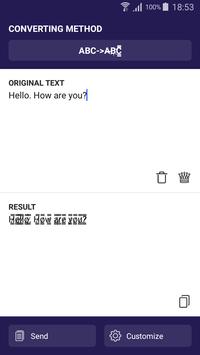
- Text with unusual characters
Conversion of Russian and English letters into similar symbols, which allows you to write a very unusual and original text.
- Automatically send to a social network, etc.
You can immediately send the written text to any social network, send it as an ordinary message, add it to your notes, etc.
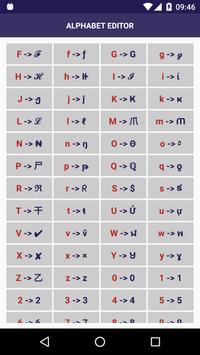
- Over 600 custom character options
You can independently install the symbol you like from the library, which currently contains more than 600 symbols
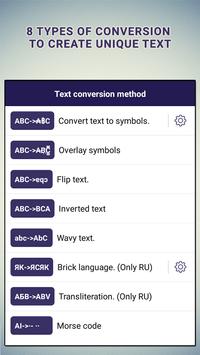
- Overlay symbols
This converter puts symbols on top of plain text.
- Flip text
This function turns the letters upside down.
- Inverted text
The application can write any message by flipping it
- Wavy text
You can create text with "dancing" letters
- Brick (salt) language
More information can be found on the Internet.
- Transliteration
- Morse code
Requirements
Device requirements
Android 4.0+
Verdict
Should you install Text Converter?
Text Converter is an Android application available under the
Freeware
license — the APK is 5.9 MB.
We’ve catalogued it under
Collection.
✓
Verified clean. Every Text Converter APK on SoftLookup is scanned for malware, spyware, and adware. We re-test on every update.
Sponsored
At a glance
Text Converter specifications
- Publisher
- Evgenii Chernov
- Last updated
- Feb 4, 2026
- Requirements
- Android 4.0+
- License
- Freeware
- Operating system
- Android
- File size
- 5.9 MB
- Price
- Free
- Page views
- 1065
Sponsored
Help fellow users decide. Share your experience with Text Converter.