
 Photo Lock App - Hide Pictures and Videos APK Free Download
Version: 39.0
Application Description:
Photo Lock App is completely free to hide unlimited photos and videos. Do you want your personal life really personal? eep Secret your gallery and No need to worry when giving your smart phone to friends and family when Photo Lock app installed in your phone.Top Features
Hide Pictures & Videos: Your files will be secretly stored and can only be viewed in this app after a numeric PIN or Pattern is entered.
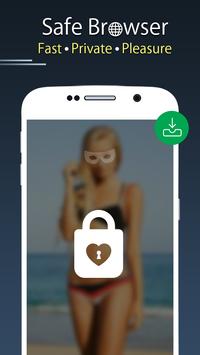
Safe Browser: Surf through internet using safe browser and even download photos and videos which will be stored secretly inside this app. You can even bookmark your favorite sites to access them easily.
App Lock: Powerful App Lock system to lock private and social apps along with Fingerprint AppLock option for compatible devices.
Advance Features
Share to Hide
You can directly hide pictures and videos from phone gallery or SD card by sharing to Photo Lock app.
Fake Vault
Create Fake vault with different password for storing fake photos and videos.
Stealth Mode (Replace app icon)
Photo Lock app icon magically disappears and gets replaced with a secret icon e.g. News, weather, radio, etc. You can also start this app without icon from your phone's Settings/Apps/Photo Lock/MANAGE SPACE.
Face Down Lock
The app will perform action given by you when your device faces downward. You can choose to close the app or open a website or other app in emergency.
Fake Cover
Disguise your apps lock screen to prevent from breaking into your password. Fingerprint scanner and fake force close dialog will hide the real lock screen.
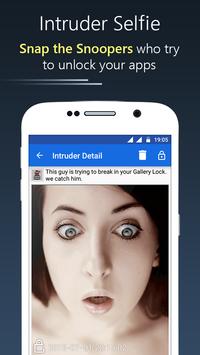
Intruder Selfie
Automatically takes Intruder selfie when someone tries to break in your privacy by entering wrong password or pattern.
Inbuilt Image Viewer and Video Player
Support Inbuilt Image Viewer to view pictures and slideshow them with transition effects.
Support Inbuilt Video Player to play videos with any media player installed in your phone.
Uninstall Protection
Prevents Photo Lock app from being uninstalled from kids or strangers.
This app uses the Device Administrator permission.
This app uses Accessibility Service.
Quick Tips
- In order to Change PIN quickly go to Settings tab and click on Change Password.
- After you Hide Pictures and Videos, Export icon in Photo lock brings back your media whenever needed.
- Easily Change SlideShow interval using the Settings tab.
- Use Theme icon to make the Vault Lock Screen colorful so you dont get bored.
Conclusion
To conclude Photo Lock App - Hide Pictures and Videos works on Android operating system and can be easily downloaded using the below download link according to Freeware license. Photo Lock App - Hide Pictures and Videos download file is only 3.3 MB in size.Photo Lock App - Hide Pictures and Videos was filed under the Collection category and was reviewed in softlookup.com and receive 5/5 Score.
Photo Lock App - Hide Pictures and Videos has been tested by our team against viruses, spyware, adware, trojan, backdoors and was found to be 100% clean. We will recheck Photo Lock App - Hide Pictures and Videos when updated to assure that it remains clean.
Photo Lock App - Hide Pictures and Videos user Review
Please review Photo Lock App - Hide Pictures and Videos application and submit your comments below. We will collect all comments in an effort to determine whether the Photo Lock App - Hide Pictures and Videos software is reliable, perform as expected and deliver the promised features and functionalities.Popularity 10/10 - Downloads - 75 - Score - 5/5
Softlookup.com 2026 - Privacy Policy
| Category: | Collection |
| Publisher: | Donna Danley |
| Last Updated: | 02/05/2022 |
| Requirements: | Android 4.0+ |
| License: | Freeware |
| Operating system: | Android |
| Hits: | 1317 |
| File size: | 3.3 MB |
| Name: * |
E-Mail: * |
| Comment: * |
|