In depth
A closer look at Blur
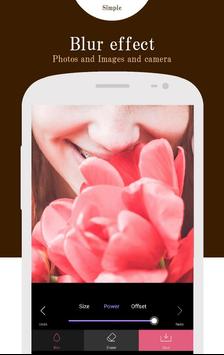
This will blur some part of your photo image.
Very very simple and convenient photo editing.
It can be changed the strength of the after effect.
- Features -
- This will get the background blur effect like professional photographer.
- This will blur some part of your photo image.
- This will used to changed after the strength of the effect
- Very easy to use with friendly user interface.
- How to use -
- Load image from library.
- Use the blur image brush or photo effect brush to blur and add effect any part of the photo.
- Change the size of the blur brush to fit your use.
- Change after the level of the effect you use.
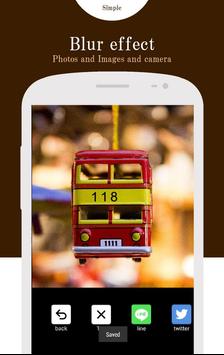
- Save or share
- Features,2 -
- Shallow focus photo in the background of the image.
- Blur the unwanted part of your picture.
- Blur image background effect.
- Use brush to blur where you want.
- Share freely on social network.
Have fun using photo Blur.
- Safe social networking -
It is also useful for example, when you want to up the photos to SNS.
Face and car license plate, you can blur the name etc.
Protect the privacy.
It is very simple app.
This app is all free.
Welcome our friends.
Requirements
Device requirements
Android 4.4+
Verdict
Should you install Blur?
Blur is an Android application available under the
Freeware
license — the APK is 2.4 MB.
We’ve catalogued it under
Photography.
✓
Verified clean. Every Blur APK on SoftLookup is scanned for malware, spyware, and adware. We re-test on every update.
Sponsored
At a glance
Blur specifications
- Publisher
- addquick
- Last updated
- Feb 14, 2026
- Requirements
- Android 4.4+
- License
- Freeware
- Operating system
- Android
- File size
- 2.4 MB
- Price
- Free
- Page views
- 980
Sponsored
Help fellow users decide. Share your experience with Blur.