
Android · Free download · Productivity
Opera Browser42.7.2246.114996
- Operating system
- Android
- File size
- 42.15 MB
- License
- Freeware
- Last updated
- May 5, 2026
9 downloads·1113 page views
Android · Free download · Productivity
9 downloads·1113 page views
Screenshots
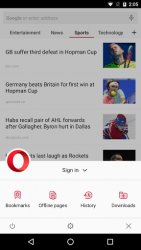
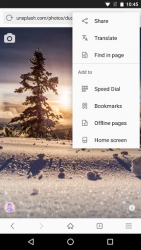
In depth
Top features
-Smart news feed: Swipe through a range of news channels within the browser, subscribe to your favorite channels, and save stories to read later.
-Sleek new look: Our new, lightweight design makes it easier to find what you need and do what you came online to do.
-Block ads: Operas integrated ad blocker helps your pages load faster and saves your data for the content youre actually interested in.
-Compress videos: Watch more videos on your mobile device while using less data. Turn on video compression in the data savings settings to prevent videos from stalling.
-Add to home screen: Add any website directly to your device's home screen to access it even faster. Sites like Facebook can even send you push notifications, just like an app. Other highlights
-Save data: Switch to data-savings mode to load pages faster than ever on slow networks. Powered by our famous compression technology, the Opera browser works hard to save loads of data without breaking your browsing experience.
-Browse privately: Use private tabs to go incognito anywhere on the internet without leaving a trace on your device.
-Read comfortably on any screen: With Opera, you can force zoom on any page, making it easier to read. We even make sure the text fits nicely on your screen with automatic text wrap.
It is an alternative to the default android browser and allows you to browse the internet quickly without affecting your terminal's performance. A ppthe browser uses opera039s servers to compress web pages and allows you to load them much faster so that you can not only save time but also money if you use 3g. It looks great on any android device giving it a very sleek and above all functional appearance. A further feature is that you can easily zoom in by 039pinching the screen039 and have multiple touch shortcuts to navigate in a way that is more comfortable than other browsers. With opera link you can sync bookmarks shortcuts and general options and share them with your desktop and mobile terminal this is useful for users who tend to be on the move. It comes with support for social networks like twitter and facebook. They will be much faster to use thanks to this. You may also download any files easily and store them in the terminal memory ready to access from a desktop later. Ppopera browser is a great alternative to browsing the internet from an android device either on a mobile phone or tablet. It's everything you need and it's a joy to use meaning you don't have to deal with many of the complications that often come with mobile browsing.
Verdict
Opera Browser is an Android application available under the Freeware license — the APK is 42.15 MB. We’ve catalogued it under Productivity.
At a glance
Help fellow users decide. Share your experience with Opera Browser.