In depth
A closer look at Restore Image (Super Easy)
Image restoration!
I want to return the erased images again!
I have erased the image in mistake!
Why don't you try to use this app?
You may be able to restore the erased photo and picture!
-Billing in-app is only the function to delete ads!
-You can use all the functions in free!
-There is no limit of the function at all even though you use in free!
A special feature
Super easy image data recovery!
Need not the knowledge!
Need not the PC!
Need not rooting!
Need not Backup data!
You can restore found image certainly!
You can also restore before installation image!
You can restore the image from the Device or from the SD card!
Corresponds to jpg and png!
Free tool!
How to use
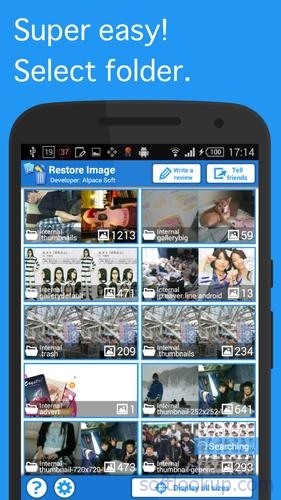
1. Select folder
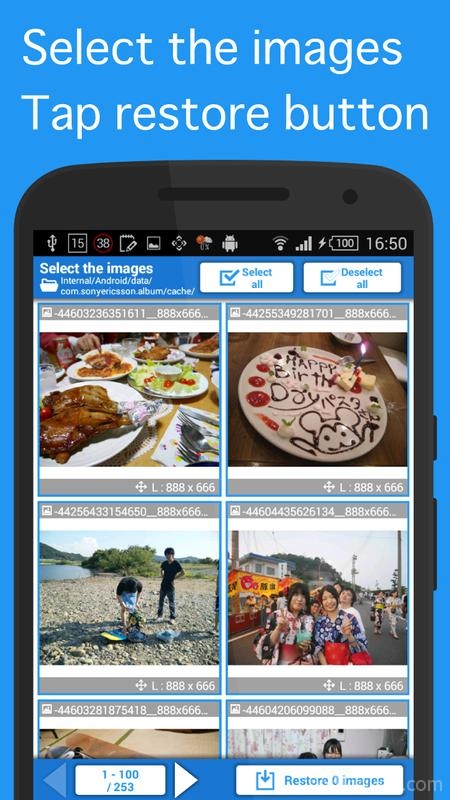
2. Select the images
3. Tap the start button to restore
That's all!
Q & A
Q. The image is small and rough.
The rough image is what was saved as a small image for thumbnail by other app, and this app extract and restore.
You can change the setting not to display small images.
Requirements
Device requirements
Android 4.1+
Verdict
Should you install Restore Image (Super Easy)?
Restore Image (Super Easy) is an Android application available under the
Freeware
license — the APK is 3.0 MB.
We’ve catalogued it under
Utilities.
✓
Verified clean. Every Restore Image (Super Easy) APK on SoftLookup is scanned for malware, spyware, and adware. We re-test on every update.
Sponsored
At a glance
Restore Image (Super Easy) specifications
- Publisher
- AlpacaSoft
- Last updated
- May 4, 2026
- Requirements
- Android 4.1+
- License
- Freeware
- Operating system
- Android
- File size
- 3.0 MB
- Price
- Free
- Page views
- 2343
Sponsored
Help fellow users decide. Share your experience with Restore Image (Super Easy).