See EasyTouch - Assistive Touch for Android in action
In depth
A closer look at EasyTouch - Assistive Touch for Android
EasyTouch is an assistive and system manager tool especially designed for Android. It is a floating button (like Assistive Touch for iPhone, iOS system) that you can move anywhere on your screen. It is fast, small, smooth and easy to use. It contains the Android system most used switches and all your installed apps. You can control your device or open your favorite app easily without exiting the app currently in use. All the functionalities are fast accessible just with a single touch like iPhone assistive touch. It remains floating on your screen and it is quick, easy, convenient and customizable. With a great variety of stylish theme styles available.
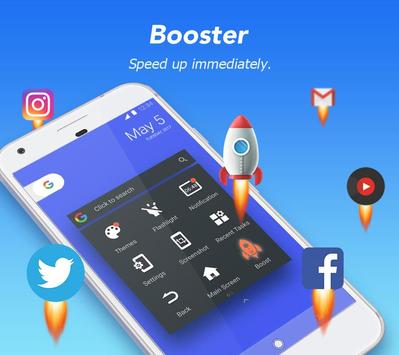
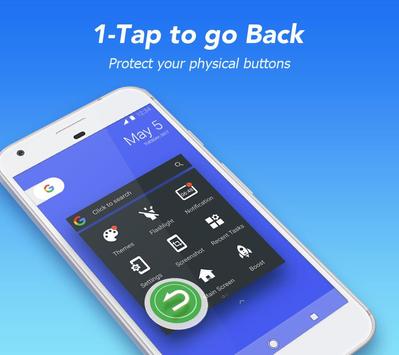
With a floating panel on the screen, you can easily operate your smartphone just like use iPhone, iOS system. It is very convenient to quickly access to all your favorite apps, games, settings and notifications. If your phone becomes slow, laggy and it freezes, you can use the Boost function to make your phone faster. Easy Touch is also an ideal app to protect the physical buttons (Home Back Button or Volume Button). Especially, it is very useful for big screen smartphones. Easy Touch can do all this for you, and it is totally FREE!
Over 80 million users choose us. Coming to join us!
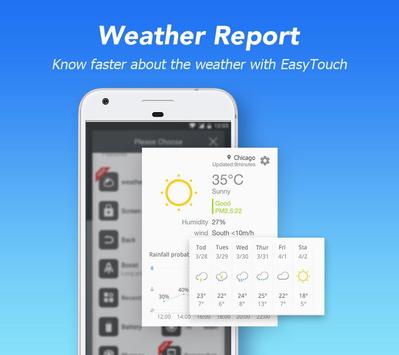
Highlight Features : Smooth and simple assistive phone operation - All the operations can be done by just clicking or holding down the Easy Touch button with one hand Small & Light - Fast download and installation & it doesn't take too much capacity Ram Booster - Boosts your phone, frees up memory (RAM), speeds up your device and saves battery. - Tap Boost to make it easy to optimize directly from your home screen. Quick access to all the apps - Access quickly to your favorite games, apps and settings with just one touch Gestures - Three gestures are available to make your smartphone smarter! - The gesture function is very special in the apps market. Notifications bar - Get important messages and don't miss any updated notification. Intelligent - With Easy Touch, you can easily operate your Android phone with just one touch. - Click on the icon to set your function mode in the small floating iPhone iOS button. ”Screen lock - Lock your phone screen quick to protect your privacy and data. - Customize the unlock function with your own style. - Easy to lock screen. Screenshot - Take screenshots & create your own Screenshot style. Weather Report - The Weather Forecast (Location Authorization required) makes your life easier. Theme Center - Supports DIY theme & new amazing themes are often updated. - Creative theme styles (eep increasing). Quick settings - Set your smartphone quick with your favorite options Customization - You can change the background color with your favorite color - You can change the Easy Touch icon with many pretty icons, totally free - Gestures Settings for the Floating Panel (One Click, Double Click, Triple Click)
FAQ: How to set my EasyTouch panel? Just hold down the blank space of the floating panel This app uses the Device Administrator permission: - BIND_DEVICE_ADMIN: Only used to lock device screen and turn off the screen of your device. - CAMERA: To turn on Flashlight and shortcut to snap photos. - ACCESS_FINE_LOCATION: Use your current location to give you exact weather report. - CALL_PHONE: Add contacts to Panel so you can make calls. - BIND_NOTIFICATION_LISTENER_SERVICE: It is convenient to get update notifications. This app uses Accessibility services. - For physical disabilities, EasyTouch provides powerful single hand features, you can use one hand to operate the phone, switch apps easily, replacing the navigation hard keys, which can hardly be controlled by one hand.
Requirements
Device requirements
Android 4.0.3+
Verdict
Should you install EasyTouch - Assistive Touch for Android?
EasyTouch - Assistive Touch for Android is an Android application available under the
Freeware
license — the APK is 5.4 MB.
We’ve catalogued it under
Utilities.
✓
Verified clean. Every EasyTouch - Assistive Touch for Android APK on SoftLookup is scanned for malware, spyware, and adware. We re-test on every update.
Sponsored
At a glance
EasyTouch - Assistive Touch for Android specifications