In depth
A closer look at Bluetooth Remote PC
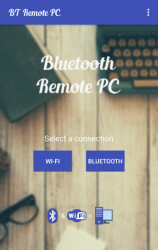
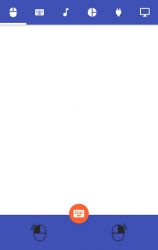
Get access to your computer via Android. The application provides access to services such as mouse, keyboard, multimedia, presentation, power system commands, terminal or even display desktop.
Requirements:
Java SE Runtime Environment 8: Steps to connect:
1. Download the Server Go to our websites www.androidremotepc.com and download - install the Remote PC Server 2.0 to your computer!
2. Prepare your PC Turn on the wireless adapter - pair the PC via Bluetooth or get the IP address.
3. Run the Server
a. Open the Server - check the status in the Notification Area.
b. Run the mobile app, choose a connection and find your PC from the paired devices list or type the Wi-Fi address.
4. Need Help? If you still can not establish a connection with your computer, you shall visit our tutorial web page.
Verdict
Should you install Bluetooth Remote PC?
Bluetooth Remote PC is an Android application available under the
Freeware
license — the APK is 4.91 MB.
We’ve catalogued it under
Productivity.
✓
Verified clean. Every Bluetooth Remote PC APK on SoftLookup is scanned for malware, spyware, and adware. We re-test on every update.
Sponsored
At a glance
Bluetooth Remote PC specifications
- Publisher
- Rozky
- Last updated
- Feb 8, 2026
- License
- Freeware
- Operating system
- Android
- File size
- 4.91 MB
- Price
- Free
- Page views
- 1192
Sponsored
Help fellow users decide. Share your experience with Bluetooth Remote PC.