See YouCut - Video Editor and Video Maker, No Watermark in action
In depth
A closer look at YouCut - Video Editor and Video Maker, No Watermark
YouCut is the best Video Editor and best Video Trimmer app for YouTube and other social media.
FREE & No Watermark!
Features: Free Video Editor YouCut has the most useful features that other top pro video editor for YouTube or movie maker app have, but Youcut is free and has no banner ads : )
Video Merger & Joiner Merge multiple video clips into one video. It is a pro video maker for YouTube app, helps combine and compress your videos without losing quality.
Video Trimmer & Cutter Trim and cut the video to the length you need. Export video in HD quality. Easy-to-use video maker for YouTube.
Video Splitter & Slicer Split and slice video into two separate video clips.
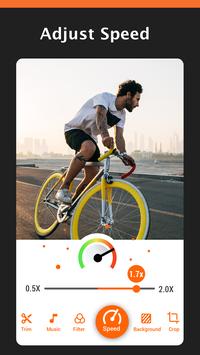
Video Speed Control Brand new fast/slow motion feature, adjust video speed with video filters and effects. Speed up your video in a fun way. Slow down your video for special moments.
Photo Slideshow Maker Free photo slideshow maker, merge photos to create slideshow with music. Mix photos with videos, add custom photo cover for video.
No Watermark As a free video editor and music video maker for YouTube, YouCut will never add Watermark to your video.
No ads when editing videos There is no banner ads on the screen when you are editing videos.
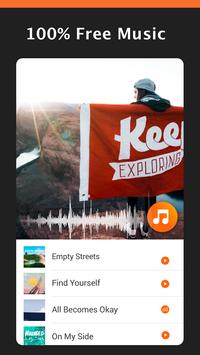
Add Music to video It is a music video maker that meets your need in every way. 1. Add free featured music by YouCut to your video. 2. Add your own music on your phone storage to your video. 3. Adjust the original video volume.
Video Filters and FX Effects Add beautiful movie style video filters and FX effects to video.
Video Color Adjust Adjust video's brightness, contrast, saturation, etc. It provides customized video filters and effects option.
Change Video Aspect Ratio Fit your video in any Aspect Ratios like 1:1, 16:9, 3:2, etc. No crop video maker and video zip app.
Change Video Background Add different borders and no crop to your video. 1. Change the background color of your video. 2. White background can most assimilate into social media app like Instagram. 3. Black background make your video feel like a professional movie. 4. Dont like flat color? You can use blur background.
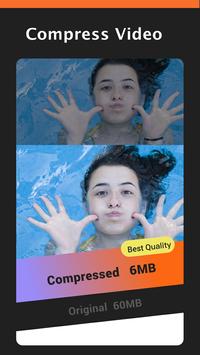
Video Compressor & Converter 1. Choose resolution to compress and convert your video. HD video maker and video zip app. 2. YouCut - Pro Video Maker supports resolution up to 4. 3. YouCut use an advanced technology to improve the quality of your converted video, it saves more than 90% size without losing much quality.
Rotate Video Rotate video by 90 degree.
Flip Video 1. Flip video up to down. 2. Flip video left to right.
Crop video Crop video to any ratio you want. Zoom in/out your video.
Share Video Share video to social media like YouTube, Instagram, Facebook, etc.
Merge, Cut, Trim, Split, Compress, Fast/Slow motion (Adjust video speed from 0.5 to 2.0 ), Photo slideshow, Add music, Apply FX video filters, No crop, Share your videos to YouTube... Without losing video quality!
Requirements
Device requirements
Android 4.3+
Verdict
Should you install YouCut - Video Editor and Video Maker, No Watermark?
YouCut - Video Editor and Video Maker, No Watermark is an Android application available under the
Freeware
license — the APK is 20.4 MB.
We’ve catalogued it under
Players.
✓
Verified clean. Every YouCut - Video Editor and Video Maker, No Watermark APK on SoftLookup is scanned for malware, spyware, and adware. We re-test on every update.
Sponsored
At a glance
YouCut - Video Editor and Video Maker, No Watermark specifications