Android · Free download · Productivity
Samsung Cloud Print2.17.009
- Operating system
- Android
- File size
- 13.61 MB
- License
- Freeware
- Last updated
- May 4, 2026
43 downloads·1073 page views
Android · Free download · Productivity
43 downloads·1073 page views
Screenshots
In depth
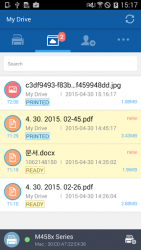
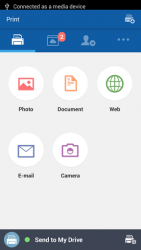
During installation of the Samsung Cloud Print app, you register with the Samsung Cloud Print service just using your mobile number for authentication. No other account login is required, although you can link the app to your Samsung Account if you wish to gain additional functionality. Your mobile device and network connected printer or MFP can be paired automatically by tapping the built in NFC tag on certain models. Supported Printers - MFPs on the same WiFi network as your mobile device can be searched - registered with a single button press or alternatively you can manually enter its MAC address. Once paired, you can print or scan from anywhere and everywhere. Samsung Cloud Print allows you to print Microsoft Office documents such as Word, Excel and PowerPoint, as well as PDF and image files, e-mail messages and web pages. You can send scanned files from your MFP to anyone using Samsung Cloud Print using their mobile number
Verdict
Samsung Cloud Print is an Android application available under the Freeware license — the APK is 13.61 MB. We’ve catalogued it under Productivity.
At a glance
Help fellow users decide. Share your experience with Samsung Cloud Print.