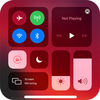
Control Center IOS 15 : Control center is a very convenient and useful tool to create a customized settings page that you can access in a matter of seconds to modify everything you need immediately.
Control center is a very convenient and useful tool to create a customized settings page that you can access in a matter of seconds to modify everything you need immediately. As a result you will be able to make changes in your device without having to access the internal settings. Control center ios 15 has a built-in settings tab you can configure it to your liking. Choose the type of settings you want at hand and the apps you want a shortcut to. After choosing all the options you will be able to move them in the simplest way to your preferred location. Ppthe added settings are fully editable meaning you can change them by simply accessing the control center ios 15 menu. From there, you can switch back to your regular night mode, the background color you used before, or a different setting, depending on your preferences. This tool will have customizable settings at your fingertips in seconds. Once everything is customized to your needs just tap on the top right corner to display your window. Is there a list of all previously edited and customized settings so you can work with your android in a much more convenient fast and simple way. Record the screen with a tap change the screen light or adjust without accessing the android settings menu.
Control Center IOS 15 is an Android application available under the
Freeware
license — the APK is 9.55 MB.
We’ve catalogued it under
Libraries.
✓
Verified clean. Every Control Center IOS 15 APK on SoftLookup is scanned for malware, spyware, and adware. We re-test on every update.
Help fellow users decide. Share your experience with Control Center IOS 15.