In depth
A closer look at Mi Drop
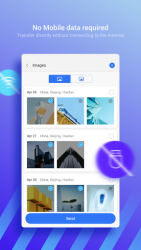
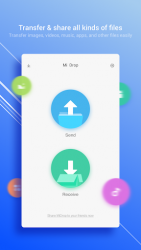
Mi Drop- FASTEST file transfer tool. No internet needed!-Support all Android devices-Share files without mobile data usage-Send and receive all types of files-200 times faster than Bluetooth!-Share files in 1 tap, without complicated step-Intuitive and user-friendly UI [Main features]Transfer - share all kinds of filesQuickly transfer images, videos, music, apps, and files between mobile devices anytime you need. Share files without the InternetTransfer files without using mobile data or connecting to the network at all. Lightning fast speedMi Drop transfers files really fast, 200 times faster than Bluetooth! Intuitive and friendly UIMi Drop has simple, clean, and user-friendly interface. All files are sorted into categories (e.g., Music, Apps, Images) which makes them easy to find and share. Resume interrupted transfersNo worries if your transfer got interrupted due to a sudden error. You can resume it with a simple tap without starting over. Transfer files between all Android devicesAll Android devices are supported! Use the preinstalled version of Mi Drop on Mi Devices or simply download the app from Google Play. Like us and stay connected!Welcome to give us your feedback to : GlobalMidrop-xiaomi.com
Verdict
Should you install Mi Drop?
Mi Drop is an Android application available under the
Freeware
license — the APK is 4.58 MB.
We’ve catalogued it under
Productivity.
✓
Verified clean. Every Mi Drop APK on SoftLookup is scanned for malware, spyware, and adware. We re-test on every update.
Sponsored
At a glance
Mi Drop specifications
- Publisher
- Xiaomi Inc.
- Last updated
- May 5, 2026
- License
- Freeware
- Operating system
- Android
- File size
- 4.58 MB
- Price
- Free
- Page views
- 1292
Sponsored
Help fellow users decide. Share your experience with Mi Drop.