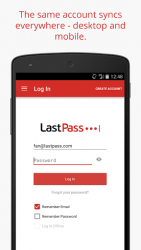
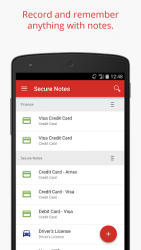
LastPass is a password manager and password generator that locks your passwords and personal information in a secure vault. LastPass autofills web browser and app logins for you, and generates new, secure passwords instantly. One password is all you need with LastPass your LastPass master password handles the rest. Store passwords and logins, create online shopping profiles, generate strong passwords, track personal information in photo - audio notes, and more. NEW TO LASTPASS?Download LastPass now and get the protection you need completely for free. You can use LastPass across all your devices, including phones, tablets, and personal computers, for free. LastPass simplifies online life: Password manager Secure vault keeps your passwords safe- Password keeper- save and autofill personal info for all of your online accounts- Secure vault holds all passwords login with one password instead of dozens- Anything you save on one device is instantly available on all your other devices Password Autofill- Autofill passwords - personal info with Form Fill Profiles- One password is all you need to manage your accounts. Sign in using your LastPass master password or fingerprint- Autofill passwords in Chrome or Opera to make them into a private browser Private notes Secure safe info like credit cards, photos - more- Vault keeps health insurance, credit card info - more safe- Photo vault attach photos to any note to lock them- Audio notes set custom voice memos that lock in the secure vault Password eeper- Store - search logins - notes from your vault- Password manager makes it easy to store, save - search passwords from all your sites - apps Finger Scan Lock Finger print lock secures passwords- Fingerprint password activation Scan your fingerprint and unlock your vault- Autofill with fingerprint password fills Data manager- Organize passwords in secure folders- Store passwords in custom folders locked behind your LastPass password- Sort into categories like Social, Shopping - more Password Sharing- Share with friends and family- Password, photo vault - note info can be easily shared- Share login data for individual sites, or send secure notes to contacts Secure Password eeper- Multifactor authentication secures your password vault- Lock down your LastPass account further with multiple forms of authentication- Choose from top apps like Google Authenticator, Yubiey - Duo Security Emergency Access- Plan ahead and give trusted family or friends a way to access your vault in case of an emergency.
- Add security and require a waiting period during which you can decline an Emergency Access request to your vault.
- Once access is granted, your vault syncs as a folder to their vault. Password Generator Generate secure, customized passwords- Generate new passwords for all of your logins and apps Password Audits- Audit the strength of passwords with the LastPass Security Challenge- Test the strength of your passwords using our advanced auditing system- Generate new passwords to replace weak logins Secure vault makes data available offline- Secure password keeper available online or off LastPass never has the key to your encrypted data, so your information remains safe. Your vault is encrypted with bank-level, AES 256-bit encryption. For $24 a year, LastPass Premium offers:- Family password sharing with up to 5 people with the Shared Family Folder- 1GB encrypted file storage- Secure Vault With Authentication- Premium multifactor authentication like Yubiey- Priority support- Ad free- Desktop fingerprint authentication LastPass is the easiest way to keep your password safe. Lock passwords, notes - photos with award-winning security. Download LastPass and browse safer today!
LastPass Password Manager 5.26.1.15339
This tool allows you to manage all of your user accounts and their respective passwords from the comfort of your android device. The pplastpass password stores the passwords on its own server encrypting them first so that they can039t be seen from any other place unless you give them the corresponding permission. They are granted using a single password that will be the key to all the other permissions. Another advantage of lastpass is that it allows you to create high-security passwords that you won039t have to remember as they will automatically be entered in the correct place after you grant the correct permissions. The lastpass password allows you to import all the passwords in your browser so you don039t have to reconfigure them when you start using the. A powerful password management tool that allows you to add another layer of security to the management of all of your accounts. The lastpass password service is not free.
LastPass Password Manager is an Android application available under the
Freeware
license — the APK is 12.46 MB.
We’ve catalogued it under
Productivity.
Help fellow users decide. Share your experience with LastPass Password Manager.