In depth
A closer look at Hibernation Manager
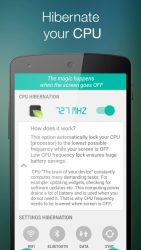
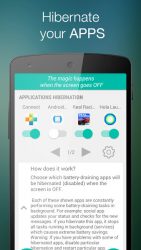
Settings hibernation Choose which settings will be automatically disabled (hibernated) when your screen is OFF and enabled when your screen is ON. If you hate frequently changing your settings or you just want to save more battery, this option is suitable for you. It is better to have enabled hibernation for all settings, because this mode will automatically hibernate only currently active settings. You can apply settings hibernation to: wifi, mobile data (APN), bluetooth (BT) Applications hibernation Choose which battery-draining apps will be disabled (hibernated) when the screen is OFF. Some of your installed apps are constantly performing some battery-draining tasks in background. For example: social app updates your status and checks for the new messages. If you hibernate this app, it stops all tasks running in background (services) which causes extreme battery savings. The hibernation is more effective than task killer or any other memory cleaner. Battery Widget Battery widget allows you to control Hibernation Manager right from your home screen. Warning: If you have problems with some of hibernated apps, disable particular hibernation and restart particular app
Verdict
Should you install Hibernation Manager?
Hibernation Manager is an Android application available under the
Freeware
license — the APK is 1.6M.
We’ve catalogued it under
Productivity.
✓
Verified clean. Every Hibernation Manager APK on SoftLookup is scanned for malware, spyware, and adware. We re-test on every update.
Sponsored
At a glance
Hibernation Manager specifications
- Publisher
- Developer
- Last updated
- May 3, 2026
- License
- Freeware
- Operating system
- Android
- File size
- 1.6M
- Price
- Free
- Page views
- 1222
Sponsored
Help fellow users decide. Share your experience with Hibernation Manager.