Android · Free download · Productivity
DashClock Widget1.7.2
- Operating system
- Android
- File size
- 1.91 MB
- License
- Freeware
- Last updated
- May 5, 2026
87 downloads·1014 page views
Android · Free download · Productivity
87 downloads·1014 page views
Screenshots
In depth
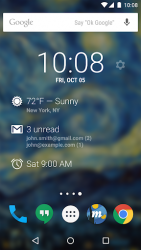
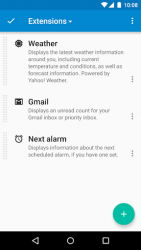
Your current local weather
Missed calls and unread text messages
Your next calendar appointment
Unread Gmail inbox or priority inbox conversations
Your next scheduled alarm To add the widget to your Android 4.2 device's lock screen, first make sure that "Enable widgets" is turned on in your security settings. Then, simply swipe to the left-most page of your lock screen and touch the "+" icon. Finally, select "DashClock" to customize and add the widget. You can make this the primary lock screen widget, replacing the default clock, by first touching-and-holding it and then dragging it horizontally to the very rightmost position.
Verdict
DashClock Widget is an Android application available under the Freeware license — the APK is 1.91 MB. We’ve catalogued it under Productivity.
At a glance
Help fellow users decide. Share your experience with DashClock Widget.