Android · Free download · Productivity
Media Converter0.9.3
- Operating system
- Android
- File size
- 17.31 MB
- License
- Freeware
- Last updated
- May 5, 2026
100 downloads·761 page views
Android · Free download · Productivity
100 downloads·761 page views
Screenshots
In depth
You may also chop/clip a media file, or extract the audio to make a ring tone.
You may also crop and rotate to output video.
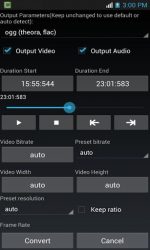
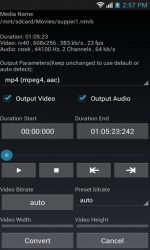
You may specify the parameters including video/audio bit rate, resolution, frame rate, audio sample rate. It is easy to pick/specify the parameters with the special designed UI. LGPL ffmpeg is used.
It is a very useful tool that allows users to edit the format of virtually any audio or video file. You can edit and convert formats like mp3 mp4 mpeg4 h264 aac webm ogg theora flac avi mpeg4 mpeg. A clever design makes media converter extremely easy to use for any user. So once you've opened the app you'll be taken to a folder where you can explore the folder of your device to find the files whose format you want to change. It can convert multiple files simultaneously as long as they are in the same format. So once you've selected the files you want to work with you just have to select the output format and tap convert to begin the automatic process.
media converter also allows you to edit your files' metadata, cut the length, crop images and, for videos, extract the audio track.
Verdict
Media Converter is an Android application available under the Freeware license — the APK is 17.31 MB. We’ve catalogued it under Productivity.
At a glance
Help fellow users decide. Share your experience with Media Converter.