In depth
A closer look at 3CX DroidDesktop
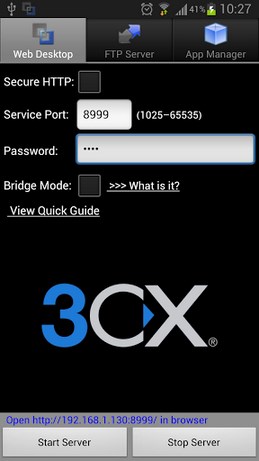
Simple and powerful web desktop enables you remotely manage - control your Android device from a web browser over any WiFi/4G/3G/2G/USB connection.
# Why Remote Web Desktop
1. Comfortable: wirelessly manage your phone by keyboard and mouse.
2. Wireless: full support of WiFi/4G/3G/2G connections with an embedded network bridge, even if your mobile carrier doesnt provide a public IP to you.
3. Pure web: doesnt need any client on your computer side.
4. USB support: provides usb connection tools for MAC/Linux/Windows.
# Features
- Desktop SMS Send, read, forward and delete SMS messages. Support long SMS, group messages and fake SMS. Partial support sending MMS.
- File Explorer Manage all files (photo, music, videos, AP ) on SD card, transfer files - folders between phone and computer. Supports multiple upload by drag-and-drop (for HTML 5 browser).
- Gallery Viewer Preview and slide show phone photos.
- Media Player Enable you play video/audio on phone side or web desktop side.
- FTP Server Sync files and folders between phone and computer quickly, manage SD card files in Windows File Explorer, browser or FTP client.
- WiFi eyboard Type on your phone using your computers keyboard.
- Webcam (2.2+) Turns your phone into a wireless camera, supports both front face and back camera.
- Screen Capture Take the screen shot and view it in web browser, easier than do it on phone side. Works for both rooted or non-rooted devices.
- Contact Manager (2.0+) Group, search, create, delete, edit contacts and call log.
- Remote Call Make a call from your computer.
- Shared Clipboard Share clipboard text between PC and phone.
- Wallpaper Utils Set phone wallpaper by uploading a picture or online picture.
- AP Web Installer Backup apps to SD card, and install AP through the File Explorer.
- Personal Web Server Serve your personal web pages on your phone.
- Logcat View android logs in web browser, a useful tool for Android developers.
- Terminal Emulator Remotely access Androids built-in Linux command line shell through web browser.
- Notes Editor Create and edit text file on your SD card, you can make a note shortcut on phone screen for it.
- SSL HTTP Provides 512, 1024 bits RSA encrypt.
- Network Bridge Supports all internet connections (2G/3G/4G/WiFi), even if you dont have a public IP, you still can access your phone at any place.
- Remote Control (Rooted) Remotely control your Android within your computer. Including mouse - keyboard emulation.
#IMPORTANT NOTE
3CX DroidDesktop is provided free of charge, but without technical support.
Verdict
Should you install 3CX DroidDesktop?
3CX DroidDesktop is an Android application available under the
Freeware
license.
We’ve catalogued it under
Business.
✓
Verified clean. Every 3CX DroidDesktop APK on SoftLookup is scanned for malware, spyware, and adware. We re-test on every update.
Sponsored
At a glance
3CX DroidDesktop specifications
- Publisher
- Developer
- Last updated
- Jan 21, 2026
- License
- Freeware
- Operating system
- Android
- Price
- Free
- Page views
- 1210
Sponsored
Help fellow users decide. Share your experience with 3CX DroidDesktop.