Android · Free download · Productivity
Remote Control for TV1.4
- Operating system
- Android
- File size
- 1.4M
- License
- Freeware
- Last updated
- May 5, 2026
53 downloads·1114 page views
Android · Free download · Productivity
53 downloads·1114 page views
Screenshots
In depth
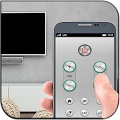
The remote control for tv is a free remote control compatible with most current smart tvs with which you can take control of your tv without needing its original remote control. This tool is designed to allow you to use your tv even if the remote control is lost or no longer works.
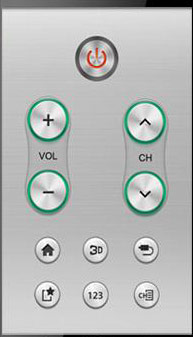
to turn your smartphone into a remote control for your tv, make sure you select the correct tv brand and model, otherwise it won't work. Once you have correctly selected the brand and model basic commands will appear for changing the channels changing the volume and turning your tv on or off. One of the advantages of this app is that it is compatible with big tv manufacturers such as samsung philips hisense sharp lg panasonic sony and others. You can choose between using the same wifi network as the tv or via infrared remote control when setting up the remote. Please choose the right option for your needs because if you set up remote control for tv incorrectly you may have problems when using the controller. It also saves all your settings so that you can use your smartphone as a remote for all your tvs without having to set it up again and again. Remote control for tv is the best way to turn your smartphone into a remote control for any television on the market completely free of charge. Download remote control for tv and use your tv normally even if you've lost or broken its remote control.
It is an app that lets you turn your android device into a remote control for your tv. To use this app however it is very important to own a device that supports infrared radiation. The app can't be used if your device doesn't have this feature.
if you're sure your android device supports infrared (you can check the hardware specs), you can proceed to install and set up remote control for tv. After a few seconds you can change the channels or turn the volume up and down. You can also control the dvd player. Remote control for tv is a very interesting app for anyone who watches television regularly. Please keep in mind however that your device must be compatible with the app.
It's a tool that lets you control all types of tvs directly from your smartphone. Besides samsung lg phillips and sony philips the tool is compatible with many of the biggest manufacturers on the market. On your smartphone you'll see a virtual remote control on the interface. You simply pair the app with your tv via infrared and in a matter of seconds you can start controlling your tv without any problems.
the button layout on the remote control for tv remote is pretty simple, but it has everything you need to operate your tv. Even a setting button allows you to make changes.
with remote control for tv, you'll have total control of your tv without any complications. Even if you don't have the remote control for the tv in question you can still adjust the volume change the channel or turn the tv on and off without any extra effort. Of course you'll need a smartphone with infrared to pair the app with your television.
Verdict
Remote Control for TV is an Android application available under the Freeware license — the APK is 1.4M. We’ve catalogued it under Productivity.
At a glance
Help fellow users decide. Share your experience with Remote Control for TV.