
Android · Free download · Productivity
Magnifier1.1.9
- Operating system
- Android
- File size
- 956.10 KB
- License
- Freeware
- Last updated
- May 5, 2026
49 downloads·709 page views
Android · Free download · Productivity
49 downloads·709 page views
Screenshots
In depth
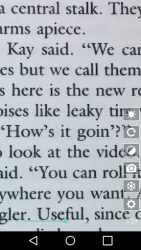
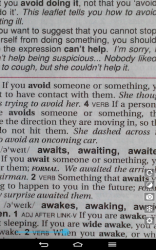
Is an app that allows you to enlarge any text you can capture with your android device's camera or zoom in on any image even if it is very far away to try to appreciate the details. Please note that this app is only compatible with pixel 5 or later devices and requires android 13 or later. It is likely that if you do not meet these requirements the app will not open or work properly. Ph2the most convenient way to read labelsh2pone of the most useful features of magnifier is the ability to read labels with small text. To do this, you just have to open the app, take a photo of the label with the small text you want to read and look at it on the screen of your android device. You can also change the brightness contrast and saturation to make the letters much more legible. Even color filters can be applied very quickly. If the text is on glass or in a dark room you can read it without problems.
once you can read the text on the screen of your android device, you will have the convenient option to select and copy it. Thanks to this you can do a google search directly on it or even instantly translate it. In this way you can read the text on any sign wherever you are even if you don't speak the language. Once you finish working with the text you can save the photo just in case you need it or delete it directly. Download the magnifying glass to turn your android device into a magnifying glass you can use. It's not going to be out of your reach. This incredibly useful app eliminates the need to squint to read a restaurant menu, the fine print on a contract, or the nutritional information on a package of pasta.
Verdict
Magnifier is an Android application available under the Freeware license — the APK is 956.10 KB. We’ve catalogued it under Productivity.
At a glance
Help fellow users decide. Share your experience with Magnifier.