
Android · Free download · Productivity
ROM Installer1.3.0.0
- Operating system
- Android
- File size
- 3.64 MB
- License
- Freeware
- Last updated
- May 5, 2026
82 downloads·1252 page views
Android · Free download · Productivity
82 downloads·1252 page views
Screenshots
In depth
You will find more ROMs available in ROM Installer than any other app on the Google Play Store. It has many of the same features that you will find in Goo Manager, ROM Manager, ZipInstaller, Flashify and other similar products. Features:
- Many ROMs and ZIPs to download and install for hundreds of devices
- 1-Click install of the latest TWRP, ClockworkMod and ClockworkMod Touch Recovery
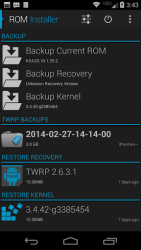
- Backup and restore your current ROM (nandroid), kernel, and recovery
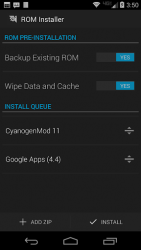
- Install queue to flash multiple ZIP files and send commands to recovery
- View ROM details, socialize with other users, download, and install popular ROMs
- Built-in GooManager that has all the same features as the original app
- Receive notifications and OTA updates for updated ROMs and recoveries
- Flash .img files to the boot and recovery partition
- Options to wipe data, cache, dalvik, etc.
- Extract files and apps from nandroid backups. With ROM installer you can always be up-to-date with your favorite ROM and recovery. Popular ROMs available for install include CyanogenMod (cyngn), Android Open ang Project (AOP), Paranoid Android, OMNI, Carbon, Slim, Vanir, PAC-man and others. In order for a particular ROM to be visible your device must be supported by the ROM. ROM Installer also offers the fastest way to install the most recent recovery. All TWRP recoveries are hosted on our fast server and updated on a constant basis. No other app offers an easier way. Supported recoveries: Team Win Open Recovery (TWRP), ClockworkMod Recovery (CWMR). Warning
ROM Installer requires superuser permission. ROM Installer does not take any responsibility for any damage it may cause to your device. You should always know how to restore your device and be familiar with what you are doing before proceeding to make changes to your system. Premium Upgrades
ROM Installer is free but does contain optional in-app purchases for additional features and support
A comprehensive tool that allows you to download tons of different android roms from a simple accessible interface. Ppthe application allows you to use your device to browse the various roms available much like you would on a normal app store. You can check out a rom's features, look at screen captures, and see if you have the correct hardware and software to run it. And of course you can also download it. This list of downloads available for each rom in each device is ordered by the date of the update so that it's easy to see which file you need to download. You039ll just need to download the rom and install it as normal. Is an excellent tool for any user who likes to try different roms. It also allows you to download them very easily and also lets you preview each one before committing them.
Verdict
ROM Installer is an Android application available under the Freeware license — the APK is 3.64 MB. We’ve catalogued it under Productivity.
At a glance
Help fellow users decide. Share your experience with ROM Installer.