In depth
A closer look at Timesheet - Time Tracker
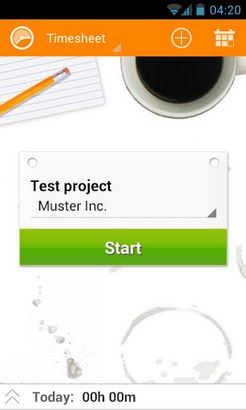
Timesheet allows you the recording of your work with a simple push of a button. You can easily add breaks, expenses and notes. Manage your projects and export your data to Microsoft Excel. Clear overviews and statistics will give you the best working experience. Easy Backup / Restore to SD-Card or Dropbox! . Nominated- Mobile Award Austria 2012 Features:- Timetracking- Create/Manage projects- Assign tasks to projects- Add Tags, Breaks, Expenses and Notes- Export tasks to Excel (XLS, CSV)- Widget- Location-Tracking- Automatic Backup / Restore- Dropbox embedded Available Languages (17): Chinese (zh) Croatian (hr) Czech (cs) Danish (da) Dutch (nl) English (en) Finnish (fi) French (fr) German (de) Icelandic (is) Italien (it) Polish (pl) Portuguese (pt) Russian (ru) Slovene (sl) Spanish (es) Swedish (sv) Thanks to Petr incl (cs), Arkadiusz Gutkowski (pl), Ricardo G. (pt), Jonathan B. (es), Emile Dingemans (nl), Ganlik (da), Sandi (sl), Luca Pedrazzi (it), Yan Facai (zh), Ivica Gelemanovic (hr) and Roger v.C. (sv) for the translations!
Verdict
Should you install Timesheet - Time Tracker?
Timesheet - Time Tracker is an Android application available under the
Freeware
license.
We’ve catalogued it under
Productivity.
✓
Verified clean. Every Timesheet - Time Tracker APK on SoftLookup is scanned for malware, spyware, and adware. We re-test on every update.
Sponsored
At a glance
Timesheet - Time Tracker specifications
- Publisher
- Developer
- Last updated
- May 3, 2026
- License
- Freeware
- Operating system
- Android
- Price
- Free
- Page views
- 981
Sponsored
Help fellow users decide. Share your experience with Timesheet - Time Tracker.