In depth
A closer look at DIY Lock Screen
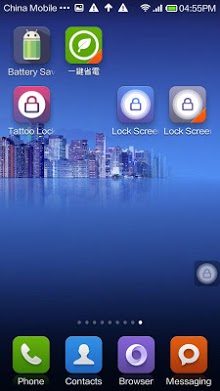
Feature: 1.Touch the suspended icon to lock screen, prolong your phone power button. 2.Touch the shortcut on desktop, prolong your phone power button. Because of the Android OS, you need to deactivate Lock Screen before you uninstall it. You can uninstall in the Setting of Lock Screen or uninstall it by following operation: click Settings>Security->Device administrators to shut off Lock screen.
Verdict
Should you install DIY Lock Screen?
DIY Lock Screen is an Android application available under the
Freeware
license — the APK is 419k.
We’ve catalogued it under
Security.
✓
Verified clean. Every DIY Lock Screen APK on SoftLookup is scanned for malware, spyware, and adware. We re-test on every update.
Sponsored
At a glance
DIY Lock Screen specifications
- Publisher
- Developer
- Last updated
- May 4, 2026
- License
- Freeware
- Operating system
- Android
- File size
- 419k
- Price
- Free
- Page views
- 956
Sponsored
Help fellow users decide. Share your experience with DIY Lock Screen.