In depth
A closer look at APN Backup and Restore
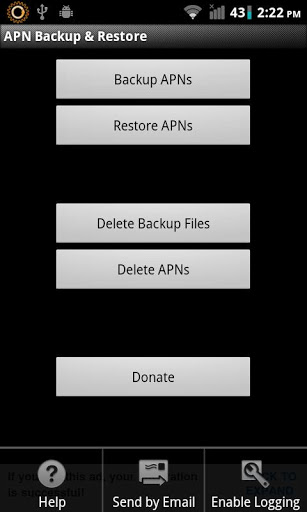
A simple App to backup and restore APNs (Settings to connect to the internet with the mobile connection). The backup is stored in the /sdcard/APNBackupRestore folder.
Starting with Android 4.0/ICS, 3rd Party apps dont have access to write APN settings, hence this app no longer works for restoring APN backups as a normal app. You can convert it to a System app using Titanium Backup on a rooted phone and use. Instructions:
Open Titanium Backup
Go to backup/restore tab
Find APN Backup & Restore on the list
Long press on the app when you find it
Select Convert to system app
Open APN Backup & Restore
Click menu and disable ICS check
Thanks to Joaqun for the instructions.
Report any problems on my site or email me with details.
Verdict
Should you install APN Backup and Restore?
APN Backup and Restore is an Android application available under the
Freeware
license.
We’ve catalogued it under
Security.
✓
Verified clean. Every APN Backup and Restore APK on SoftLookup is scanned for malware, spyware, and adware. We re-test on every update.
Sponsored
At a glance
APN Backup and Restore specifications
- Publisher
- Developer
- Last updated
- May 5, 2026
- License
- Freeware
- Operating system
- Android
- Price
- Free
- Page views
- 740
Sponsored
Help fellow users decide. Share your experience with APN Backup and Restore.