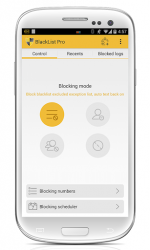
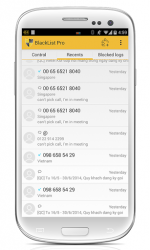
This is an advanced call/sms filter and blocker tools. Create a black list and stay safe with your Android phone. This is a simple app, but rich and powerful features to manage unwanted call/text message from anyone. it at and Lollipop users- required xposed framework to block SMS. This app works with per caller ID (incoming number) basic. Caller Ids can be organized into blacklist, or exception list and configured blocking options. Here are a list of features: 1. Blocking: - Block call/text/MMS messages for a blacklist (a list of numbers) - Block call/text/MMS messages for private numbers (no numbers, no caller id), numbers not in my contacts - Block call/text message for pre-/post-fix numbers - Exception list (don-t block list) (PRO) - Text filters by plain text or regular expression, prefix-matches, postfix matches. 2. Manage blacklist and logs: - Options for an incoming call: - Turn off ringer- End call- Optionally -pick up then hang up- (change in app-s settings) - Advanced number matching mode including exactly, start with, end with, contains, regular expression - Blocking scenario (can be set up from app-s settings or widget (press HOME/menu/Blacklist/widget)- Block numbers in blacklist excluded exception list (regular mode)- Block all numbers excluded exception list (very useful when you are in vacation)- Block all numbers (useful when you are sleeping)- Turn blacklist off- Auto SMS reply for blocked calls - SMS blocked with/without logs - Option to clear blocked missed call log 3. Configuration - Hide Blacklist-s icon from Launcher and dial to launch the app (default is <5555> or <5555> - Schedule to turn on/off (PRO) - Import contacts/call logs/ sms into a black list or add a custom number (not in your phonebook) - Easily manage logs (sms back, call back, search, delete, restore, disable (PRO),-) - Disable/enable logs (PRO) - Password protection (PRO) - Enable/disable block notification - Backup and restore blacklist settings 4. Widget - Quick access widget to change blocking scenario and common configuration - Auto-reply counters 5. Call Confirm and Secret Box modules 6. and event more: - Auto reply pre-defined templates - Change widget themes - Invisible blacklist icon (Invisible) - Quickly add last call/text number to blacklist/exception list Bug report and enhancement request:
Blacklist v5.0
A useful app for android that lets you filter calls and text messages from phone numbers you want to avoid. Outside blocking these numbers you can also filter calls from unknown and hidden numbers so that nobody can bother you. Basically you can hang up the call after the first ring or simply reject the call with a voice message telling the caller that you are not available or you don039t have service. If you have a blacklist account you can track the number of calls and messages that unwanted users have sent you. They won't know that you blocked them instead they'll just think your phone is off. In order to unblock someone at some point you just have to access your blacklist and delete the corresponding number.
BlackList is an Android application available under the
Freeware
license — the APK is 4.27 MB.
We’ve catalogued it under
Security.
Help fellow users decide. Share your experience with BlackList.