In depth
A closer look at DTSO - Double Tap Screen On Off
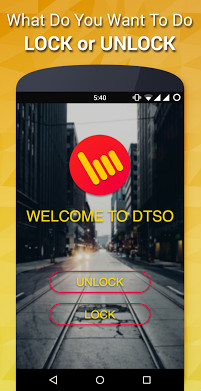
Simple and easy to use application/widget to turn off your device screen. Power button not working? No issue! Forget those creepy buttons! Just tap on your phone-s screen to lock it. The most Popular Home Screen Transparent Re-sizable Widget makes it very easy to turn off or lock your screen by just tapping on it twice. Being completely transparent does not disturb the beauty of your screen at all. &- Features List &- Sleep (Lock)- Home Screen Widget (Dynamic Re-sizable)- Floating Widget- Notification Area Widget- Proximity Lock- Shake to Lock Wake (Unlock)- Proximity Unlock- Shake to wake- Volume button unlock A few tips: 1.If waving your hand over proximity sensor does not work, try tapping it. (Since most of the android devices screen does not respond after getting off so double tapping there will not work. To resolve this hardware issue we added similar functionality to unlock by waving above proximity sensor or by shaking your phone). 2. Try changing number of taps, waves or shakes to lock/unlock according to your convenience. 3. Try flipcover mode for auto lock/unlock if you use a flipcover for your phone. 4.
Verdict
Should you install DTSO - Double Tap Screen On Off?
DTSO - Double Tap Screen On Off is an Android application available under the
Freeware
license.
We’ve catalogued it under
Security.
✓
Verified clean. Every DTSO - Double Tap Screen On Off APK on SoftLookup is scanned for malware, spyware, and adware. We re-test on every update.
Sponsored
At a glance
DTSO - Double Tap Screen On Off specifications
- Publisher
- Developer
- Last updated
- Jan 24, 2026
- License
- Freeware
- Operating system
- Android
- Price
- Free
- Page views
- 978
Sponsored
Help fellow users decide. Share your experience with DTSO - Double Tap Screen On Off.