
Android · Free download · Utilities
Fluid Navigation Gestures1.2.1-c
- Operating system
- Android
- File size
- 1.86 MB
- License
- Freeware
- Last updated
- Feb 4, 2026
8 downloads·788 page views
Android · Free download · Utilities
8 downloads·788 page views
Screenshots
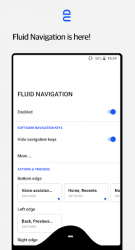
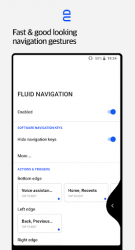
In depth
Give fresh look to your phone with Fluid N.G, the navigation gestures app inspired by youtube.com/watch?v=Cn4UMDpV0XA. Usage:
There are two main gestures: 'Quick swipe' and 'Swipe - Hold' which can trigged from the bottom or side edges of the screen. The side triggers are only available on the bottom half of the screen, allowing you to still access other app side menus. Actions:
Back
Home
Recent apps
Toggle split screen
Open notifications
Open power dialog
Open quick settings
Launch Google search overlay
Open keyboard selector
Voice Search
Launch assistant
Launch app
Launch shortcut
More action soon. Requests are welcome
Installation
The app has a built-in option to hide the software navigation keys (if necessary) but it requires either root access or a pc to grant the app a permission. PC/Mac instructions:
1 Enable Developer Mode in the Android settings.
2 Enable USB Debugging
3 Install Adb (links bellow)
4 Run the following adb command to grant the permission
Windows:
adb shell pm grant com.fb.fluid android.permission.WRITE_SECURE_SETTINGS
macOS:
./adb shell pm grant com.fb.fluid android.permission.WRITE_SECURE_SETTINGS You can restore the navigation keys using the app or by run this adb command:
Windows:
adb shell wm overscan 0,0,0,0
Verdict
Fluid Navigation Gestures is an Android application available under the Freeware license — the APK is 1.86 MB. We’ve catalogued it under Utilities.
At a glance
Help fellow users decide. Share your experience with Fluid Navigation Gestures.