In depth
A closer look at Knockr Beta
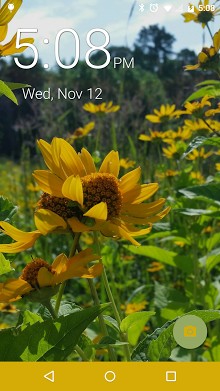
nockr gives you quick access to your favorite apps with Gestures or nocks (nock Code) from anywhere. The lock screen feature of nockr is designed for all devices and will listen for Gestures or nocks. Lock screen utilizes the palette class to pull colors from your background and apply them to the camera button and the nav bar (Lollipop only). On Android Lollipop devices you can control media right from the lock screen. The lock screen will also take on the colors of the Album artwork. To launch apps with nockr- Gestures or nocks from anywhere you can use nockr Everywhere. Tapping on the small nockr button will launch the Gesture/nock listener. Long pressing or double tapping the nockr button will lock the screen. nockr on OLED devices can mimic the screen being turned off while still listening for Gestures or nocks, with black screen. Tasker Integration gives you even more control of nockr Black Screen. Use Tasker to set the parameters you want for nockr Black Screen to open/pause. The three options you can choose for Tasker to control are on, off and toggle. On launches nockr. Off closes nockr completely. Toggle option toggles nockr sleep (release and reset the screen wake) the same way that the ‘Power Management- option does. When using Tasker integration it is recommended to switch nockr off in the settings and uncheck power management if using the toggle feature. Gestures include: Double Tap, Swipe Up, Swipe Down, Swipe Left, Swipe Right, Long Press, Up Arrow, Double Up Arrow, Down Arrow, Double Down Arrow, Right Arrow, Left Arrow, Clockwise circle, Double Clockwise Circle, Counter-Clockwise Circle, and Double Counter-Clockwise Circle. nocks are limited to 3 unless a donation is made and then they are large. Volume Up button when in Landscape: Pressing the volume up button when the device is in Landscape will automatically open the camera nown issues: Power button doesn-t turn screen on as expected (The power button isn-t possible to be overridden in Android, so there is no way to fix this). Lockscreen Background doesn-t show correctly when using the Google Now Launcher (Lockscreen Mode. The wallpaper aligns to the third page of the launcher. This seems to be a vestige from the old android launcher). Notification LED doesn-t show when using black screen (This happens because the screen isn-t turned off fully).
Verdict
Should you install Knockr Beta?
Knockr Beta is an Android application available under the
Freeware
license — the APK is 2.4M.
We’ve catalogued it under
Utilities.
✓
Verified clean. Every Knockr Beta APK on SoftLookup is scanned for malware, spyware, and adware. We re-test on every update.
Sponsored
At a glance
Knockr Beta specifications
- Publisher
- Developer
- Last updated
- May 5, 2026
- License
- Freeware
- Operating system
- Android
- File size
- 2.4M
- Price
- Free
- Page views
- 1007
Sponsored
Help fellow users decide. Share your experience with Knockr Beta.