In depth
A closer look at FullScreen
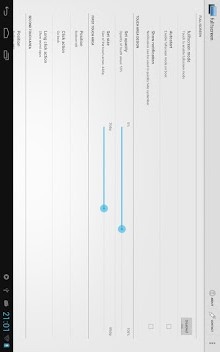
Full screen for tablets! Hide the systembar and use your tablet in fullscreen-mode without losing systembars main functions: navigation options and notifications . ~ please note: This app requires root! ~ read below for issues and limitations ! This app is a light-weight replacement/companion for the default systembar on tablets. It can disable the bottom systembar on most tablets running Android 3 or Android 4. Now you can use the full screen for your own apps without wasting space for the bottom bar. » Play games, » Watch videos, » Surf the web, » Read your mails- everything fullscreen and without losing the main functions of the systembar: Go back, Go to Homescreen, switch between recently used apps, access notifications- The provided replacement buttons can be configured in function, visibility, position and size. Following actions can be assigned to any button: Go back: Navigate back within apps. Go to homescreen: Shortcut to directly go to homescreen. Show recent apps: Quickly switch between recently used apps. Show notifications: Display a panel with notifications. Restore systembar: An action to quickly restore systembar. Open apps menu: Easy access even to menu of older apps. Pie-Menu: Opens a configurable pie-menu. The also available plus-Version supports an automatic mode: Just define the apps you want to use in fullscreen mode and full!screen+ takes care of the rest. It will automatically disable the bottom bar for those apps.
- Start your browser -> poof- bottom bar is gone.
- Switch back to Home -> the bar reappears.
- Play Video -> always in fullscreen. You don-t have to care! issues and limitations:- in case you experience problems after reboot like notifications not working or not able to autostart: Please upgrade/change your SuperUser-Manager and use it to upgrade/install latest su-binary!- There are limitations with phone devices. You might lose ability to accept incoming calls or receive SMS in fullscreen mode. Please make sure to test this before using full!screen.
- On devices with split systembar (notifications on top and navigation on bottom) it is not possible to just hide navigationbar. This unfortunately is a system-limitation and no workaround possible.
Verdict
Should you install FullScreen?
FullScreen is an Android application available under the
Freeware
license — the APK is 272k.
We’ve catalogued it under
Utilities.
✓
Verified clean. Every FullScreen APK on SoftLookup is scanned for malware, spyware, and adware. We re-test on every update.
Sponsored
At a glance
FullScreen specifications
- Publisher
- Developer
- Last updated
- May 5, 2026
- License
- Freeware
- Operating system
- Android
- File size
- 272k
- Price
- Free
- Page views
- 1269
Sponsored
Help fellow users decide. Share your experience with FullScreen.