In depth
A closer look at Screen Rotation Control
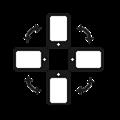
You can freely determine the orientation of the screen.
You can control portrait, landscape, reverse portrait, reverse landscape the four directions.
You can also specify auto direction.
App even horizontally or the other direction does not support, you can switch to force.
Features
4 orientation screen control (horizontal, vertical, reverse horizontal, reverse vertical)
Specify the auto rotation screen
All App (app, game) support the direction of 4 orientation.
Gingerbread (2.3) more then version optimized
Froyo (2.2) less then version is not supported reverse vertical and reverse horizontal direction.
Caution
Specific application to force portrait / landscape view setting may not display correctly. (Camera app, etc..)
Verdict
Should you install Screen Rotation Control?
Screen Rotation Control is an Android application available under the
Freeware
license — the APK is 1.5M.
We’ve catalogued it under
Utilities.
✓
Verified clean. Every Screen Rotation Control APK on SoftLookup is scanned for malware, spyware, and adware. We re-test on every update.
Sponsored
At a glance
Screen Rotation Control specifications
- Publisher
- Developer
- Last updated
- May 5, 2026
- License
- Freeware
- Operating system
- Android
- File size
- 1.5M
- Price
- Free
- Page views
- 863
Sponsored
Help fellow users decide. Share your experience with Screen Rotation Control.