In depth
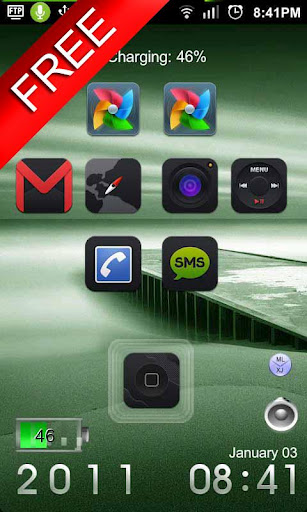
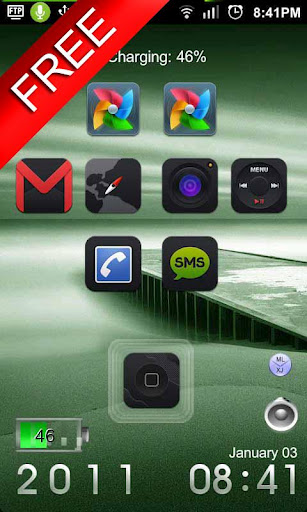
A closer look at One Touch Free - MagicLocker
Q&A:
Q: How to find more Magic Locker Themes?
A: You can press -More Themes button in -MagicLocker Setting--Themes Tab.
Or search -mobi.lockscreen.magiclocker.theme in Google Market directly.
Q: How to install Magic Locker Themes?
A: After you install a Magic Locker theme app, you need to run the theme app and press
-Install this theme button in the theme dialog.
Q: How to uninstall Magic Locker Themes?
A: You can long press theme in -MagicLocker Setting--Themes Tab then press -Uninstall theme.
Or go to the -System Setting--Applications--Manage applications then find the theme App to
uninstall as general App.
Q: Why the -Lost Robot theme cant be ininstalled form MagicLocker?
A: -Lost Robot is the default theme in Magic Locker and MagicLocker must ensure there is at least
one theme exist.
Q: Why a theme disappeared from -MagicLocker Setting-- Themes Tab?
A: First, please ensure your SD card is available, if yes, please try to reinstall the theme app.
Verdict
Should you install One Touch Free - MagicLocker?
One Touch Free - MagicLocker is an Android application available under the
Freeware
license.
We’ve catalogued it under
Utilities.
✓
Verified clean. Every One Touch Free - MagicLocker APK on SoftLookup is scanned for malware, spyware, and adware. We re-test on every update.
Sponsored
At a glance
One Touch Free - MagicLocker specifications
- Publisher
- Developer
- Last updated
- May 5, 2026
- License
- Freeware
- Operating system
- Android
- Price
- Free
- Page views
- 1071
Sponsored
Help fellow users decide. Share your experience with One Touch Free - MagicLocker.