In depth
A closer look at CPU Monitor
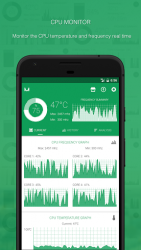
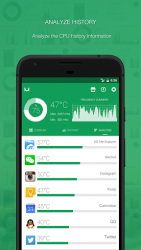
The most beautiful and powerful cpu monitor for android! You are able to monitor cpu temperature and frequency real time, and analyze the cpu temperature and frequency history data. Cpu monitor provides many kinds of tools. including: One Tap Boost, ram widget, cpu widget, battery widget, desktop floating window, status bar floating window, over heat alarm. You can monitor the ram, cpu and battery information very convenient. The detail features including: - CPU Monitor Monitor the cpu temperature and frequency real time, analyze the cpu temperature and frequency history information, and support the multicore cpu monitoring. - One Tap BoostYou can create theمOne Tap Boostمshortcut, boost ram very convenient. - Temperature Over Heat AlarmCpu monitor will trigger an alarm when cpu-s or battery-s temperature is over heat, you can choose open or close the over heat alarm as your like. - Floating Window Floating window show the cpu temperature, battery temperature, ram usage real time, including: status bar floating window and desktop floating window. - Widget Support ram widget, cpu widget and battery widget. - Multi-Theme Cpu monitor is very beautiful and support multi-theme switching, you can choose the theme you like. If you like cpu monitor, you can upgrade to pro version مPowerful System Monitorم: CPU Monitor, Storage Cleaner, RAM Booster, Battery Monitor, Battery Saver all in one!
Verdict
Should you install CPU Monitor?
CPU Monitor is an Android application available under the
Freeware
license — the APK is 1.48 MB.
We’ve catalogued it under
Utilities.
✓
Verified clean. Every CPU Monitor APK on SoftLookup is scanned for malware, spyware, and adware. We re-test on every update.
Sponsored
At a glance
CPU Monitor specifications
- Publisher
- GLGJing
- Last updated
- May 4, 2026
- License
- Freeware
- Operating system
- Android
- File size
- 1.48 MB
- Price
- Free
- Page views
- 1098
Sponsored
Help fellow users decide. Share your experience with CPU Monitor.