Android · Free download · Utilities
MacroDroid - Device Automation3.17.15
- Operating system
- Android
- File size
- 17.93 MB
- License
- Freeware
- Last updated
- Jan 19, 2026
28 downloads·853 page views
Android · Free download · Utilities
28 downloads·853 page views
Screenshots
In depth
A few examples of what MacroDroid can automate: Turn on the Wifi connection when you launch a particular app (and off again when closed).
Auto respond to a specific incoming SMS by sending your current location.
Toggle the power button to tell you the time (without taking out of your pocket).
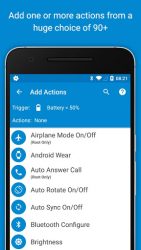
Use NFC tags to configure the device (turn on bluetooth, set volume etc). Creating a custom macro is easy: Click 'Add Macro'
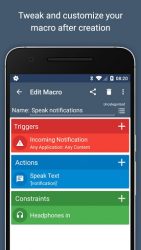
Select a trigger from the list (e.g. Battery Level).
Configure trigger specific settings (e.g. Battery Level < 10%)
Select an action from the list (e.g Configure Wifi)
Configure action specific setting (e.g. Disable Wifi)
Add more actions as required
(Optionally) add constraints from the list (e.g. Day of the Week)
Configure constraints as required (e.g. Saturday and Sunday)
Add more constraints as required
Choose a name and category for the macro MacroDroid includes many built in and user shared templates to demonstrate the power and flexibility of the application and help you get started. These templates can be used as is, or easily customised to meet your needs.
Pro Version
The free version of MacroDroid is limited to five macros and displays adverts. You can upgrade in the application to allow large macros and remove all adverts. In addition Pro users can share their macros with the community using the built in template store.
Support
= Please use the in-app forum for all usage questions and feature requests, or access the forums via Macrodroid.com. To report bugs or other issues please contact me at support-macrodroid.com with as much information as possible (including device and OS version).
Verdict
MacroDroid - Device Automation is an Android application available under the Freeware license — the APK is 17.93 MB. We’ve catalogued it under Utilities.
At a glance
Help fellow users decide. Share your experience with MacroDroid - Device Automation.