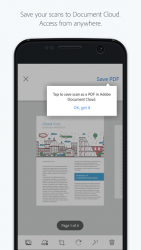
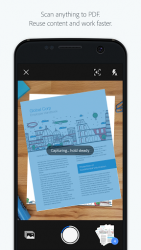
The free Adobe Scan app turns your device into a powerful portable scanner that recognizes text automatically (OCR). Turn anything receipts, notes, documents, pictures, business cards, whiteboards - into an Adobe PDF with content you can reuse. HOW IT WORS: CAPTURE. Scan anything with precision. Advanced image technology automatically detects borders and sharpens scanned content. ENHANCE. Touch up scans or photos from your camera roll. Easily preview, reorder, crop, rotate, and adjust color. REUSE. Turn your scan into a high-quality Adobe PDF that unlocks content through automated text recognition. Its that easy. WHAT CAN ADOBE SCAN DO FOR YOU? SCAN ANYTHING, ANYWHERE, ANYTIME. Capture forms, receipts, notes, and business cards. You can even scan multi-page documents and save as PDF with a single tap. RECYCLE CONTENT. Free, built-in optical character recognition (OCR) lets you reuse scanned content by creating a high-quality PDF that you can work with in Adobe Acrobat Reader. GET MORE DONE ON THE GO. Save your scans to Adobe Document Cloud for instant access and sharing. Even lengthy legal documents become manageable, as you search text, highlight key sections, and add notes. GET CONNECTED. Adobe Scan connects you to the worlds best document services that let you do even more with your PDFs. Edit, convert to Microsoft Office, fill and sign, and send for tracked signatures. Terms - ConditionsAdobe online services are available only to users 13 and older and require agreement to additional terms and the Adobe Privacy Policy. Online services are not available in all countries or languages, may require user registration, and may be discontinued or modified in whole or in part without notice. Use of Adobe Scan requires registration for a free Adobe ID as part of a basic Adobe Document Cloud membership.
Adobe Scan 23.10.02-google-dynamic
It is an app to scan any document using the camera on your android device. Can convert any printed document into a pdf file and save it in your device's memory or send it via any app. It is simple and effective to scan with adobe scan software. Just focus on the document you want to scan and then try to keep the camera as still as possible. It recognizes the document automatically and scans it without needing to tap any buttons. The page will be added to your pdf file every time you scan it. So once you're done scanning all you have to do is finalize your pdf and check that everything is the way you want them. You can reorder the pages as needed and make sure you didn't accidentally miss a page. In addition you can color-correct any of the pages or even convert the entire document to black and white. Adobe scan is an excellent document scanning software that is on the same level as the amazing camscanner. When you save a document with adobe scan it will be saved to your adobe account.
Adobe Scan is an Android application available under the
Freeware
license — the APK is 22.44 MB.
We’ve catalogued it under
Business.
Help fellow users decide. Share your experience with Adobe Scan.