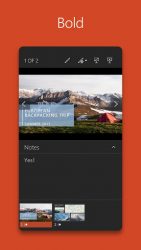
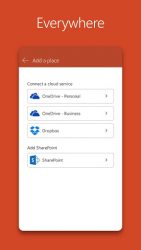
The PowerPoint app gives you access to the familiar tool you know and use across devices. Quickly access PowerPoint to create, edit, view, present, or share quickly and easily from anywhere. Need to access your most recently used PowerPoint Presentation files quickly while on the go? No problem, PowerPoint provides a quick view of the files you have been working on for easy access on any device. Worried about multiple file versions when you work on PowerPoint mobile? Syncing is seamless across devices. Work with anyone and present to anyone, anywhere with confidence. With PowerPoint, your Office moves with you. PowerPoint lets you make a lasting impression with a powerful and customizable presentations that let you stand out amongst your peers. Now you can create and present with confidence, from anywhere. Making a delightful and impactful presentation had never been so easy, PowerPoint gives you the ability to edit your presentation and customize it on the go, collaborating with others in real-time. Present with confidence Never miss a beat with PowerPoint on the go. You can make new presentations or continue working on previously created presentations. PowerPoint syncs your presentations to OneDrive, you can start a presentation using a desktop copy of PowerPoint and then edit and present using PowerPoint Online. With presentation view on any device make your point heard and present it with confidence, all without firing up your laptop.- Make a lasting impression A beautifully crafted presentation is always a winner. With the powerful and highly customizable experience in PowerPoint, creating presentations that will make an impression and help you stand out is easier than ever. Now you can do it on any device and easily build a presentation Working with others made easy PowerPoint makes it easy for you to collaborate your presentations with others. With 1-click sharing quickly invite others to edit, view, or provide feedback on your presentation slides. Easily manage access permissions and see whos working in your presentation. Stay on top of changes and feedback from other with integrated comments within the presentation slides. It lets you compare the changes to see how your presentation evolved over time. REQUIREMENTS OS version: itat (4.4.X) or above 1 GB RAM or above To create or edit documents, sign in with a free Microsoft account on devices with a screen size of 10.1 inches or smaller. Unlock the full Microsoft Office experience with a qualifying Office 365 subscription for your phone, tablet, PC and Mac. Office 365 subscriptions purchased from the app will be charged to your Play Store account and will automatically renew within 24 hours prior to the end of the current subscription period, unless auto-renewal is disabled beforehand. You can manage your subscriptions in your Play Store account settings. A subscription cannot be cancelled during the active subscription period. Please refer to Microsofts EULA for Terms of Service for Office on Android.
Microsoft PowerPoint 16.0.16731.20126
Pmicrosoft powerpoint is the official android app for one of the most used programs in the world at a business level. In the pc version, the program from microsoft has always been the king of presentations; now, with this app, it's attempting to do the same in android.
users of microsoft powerpoint can do practically everything in the app that they could with the traditional windows program: create presentations with as many slides as you want, choose among dozens of different styles and designs, insert text and images, etc. In short you will have total freedom when creating presentations. A very interesting option in microsoft powerpoint is that you can start a presentation in android and finish it in windows. In order to do so you just need to log into your user account. In addition you can import or export any ppt or ppx file. The microsoft powerpoint presentation software is an excellent tool for making presentations and contains all the tools and features you could possibly want.
Microsoft PowerPoint is an Android application available under the
Freeware
license — the APK is 60.29 MB.
We’ve catalogued it under
Business.
Help fellow users decide. Share your experience with Microsoft PowerPoint.