In depth
A closer look at Sense Analog Clock Widget Dark
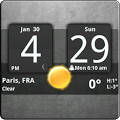
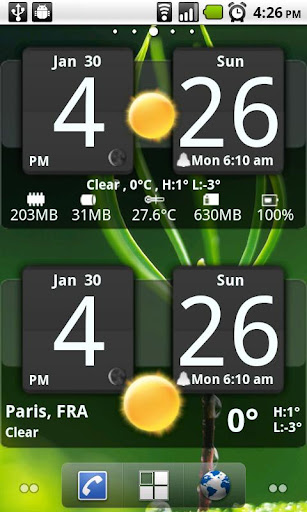
Android Digital clock widget with Calendar, Time, System info,weather & forecast
Sense cross Analog Dark style clock
170 skins to choose from
12 or 24 hour mode
Portrait or Landscape mode
Color choice for all information displayed on the widget
System Information on the widget front or as a pop-up window
Shows battery level on the widget
Shows Moon phase on the widget that’s is calculated automatically each day.
Current Weather conditions which include:
- Current temperature in Fahrenheit or Celsius
- Feels like Temperature
- Humidity
- Wind speed in m or miles per hour
2 Weather layouts on clock widget(user selected from configuration screen)
2 Forecast layouts(user selected from configuration screen)
4 Day weather forecast that includes for each day:
- High and Low temperature
- Precipitation percentage
- Weather description
Sunrise/Sunset times in either Forecast screens
37 unique weather condition icons
Widget hotspots for interaction
- tap bottom right widget corner--return to configuration screen
- tap bottom left widget corner--popup system information window
- tap weather icon--launch forecast screen
- tap Hours tab--launch anything!(user selected from configuration screen)
- tap Minutes tab--launch anything!(user selected from configuration screen)
Verdict
Should you install Sense Analog Clock Widget Dark?
Sense Analog Clock Widget Dark is an Android application available under the
Freeware
license.
We’ve catalogued it under
Weather.
✓
Verified clean. Every Sense Analog Clock Widget Dark APK on SoftLookup is scanned for malware, spyware, and adware. We re-test on every update.
Sponsored
At a glance
Sense Analog Clock Widget Dark specifications
- Publisher
- Developer
- Last updated
- May 5, 2026
- License
- Freeware
- Operating system
- Android
- Price
- Free
- Page views
- 596
Sponsored
Help fellow users decide. Share your experience with Sense Analog Clock Widget Dark.