In depth
A closer look at Work Shift Calendar
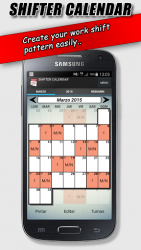
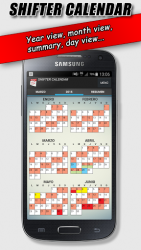
This app is designed for shift workers and for people who need to keep order in their day to not miss any appointments. You can create all shifts you need and configure them visually, set alarms and include actions at start/end of each shift, such as turn ON/OFF WiFi, switch to sound/vibration/silence mode or set ON/OFF bluetooth. Create notes on each day and add reminders with alarms. Do not ever forget appointments or important notes. Create a Widget for your desktop and display your calendar without even opening the application. Change your calendar in two ways:- Fast or painting Mode: Select a turn from the dropdown list and click on the day to paint with that turn.
- Edit Mode: Select one or more days and perform actions on the selected range of days. Main characteristics:- Easy to use- Clear Interface- Monthly View- Annual View- Displays the next notes at a glance- Create notes and reminders- Configurable sound alarms- Create fully configurable shift- Alarms for each shift- Up to two shifts per day- Performs actions at start/end of each shift schedule (WIFI, sound mode, Bluetooth)- Easily share your calendar with friends (via SMS, Whatsapp, email -)- Add images and handmade picture notes- Desktop Widget- Up to ten different calendars
Verdict
Should you install Work Shift Calendar?
Work Shift Calendar is an Android application available under the
Freeware
license — the APK is 5.11 MB.
We’ve catalogued it under
Business.
✓
Verified clean. Every Work Shift Calendar APK on SoftLookup is scanned for malware, spyware, and adware. We re-test on every update.
Sponsored
At a glance
Work Shift Calendar specifications
- Publisher
- LRHSoft
- Last updated
- Feb 11, 2026
- License
- Freeware
- Operating system
- Android
- File size
- 5.11 MB
- Price
- Free
- Page views
- 1113
Sponsored
Help fellow users decide. Share your experience with Work Shift Calendar.