In depth
A closer look at Retro Clock Widget
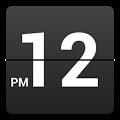
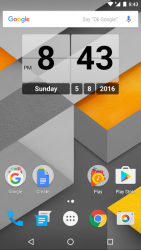
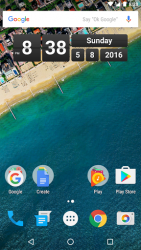
Now customize style and shortcuts with the Retro Clock Settings app, for sale on Google Play! Retro Clock Widget was one of the first clock widgets available for android and has been downloaded by millions of users over the years. Version 2.0 brings many improvements, while keeping the simplicity that made it famous. This app provides a home screen clock and date widget based on the classical mechanical flipping clock. The widgets act as shortcuts to the systems alarm clock and calendar applications. When you want to customize the look and feel (like the colors, transparency, or shortcut applications), you can do so using the Retro Clock Settings companion app also available on Google Play. To use the widget on Android 4.0+:- open the app drawer- tap the -Widgets- tab- find Retro Clock / Date and drag it to the home screen To use the widget on older versions of android:- long press an empty spot on the home screen- select -Widgets-- tap on Retro Clock / Date to add it to the home screen NOTE: If you are using a Task Manager, make sure to add Retro Clock Widget to the ignore list. When the app is killed, the time will stop updating.
Verdict
Should you install Retro Clock Widget?
Retro Clock Widget is an Android application available under the
Freeware
license — the APK is 83.10 KB.
We’ve catalogued it under
Lifestyle.
✓
Verified clean. Every Retro Clock Widget APK on SoftLookup is scanned for malware, spyware, and adware. We re-test on every update.
Sponsored
At a glance
Retro Clock Widget specifications
- Publisher
- lingen.me
- Last updated
- May 4, 2026
- License
- Freeware
- Operating system
- Android
- File size
- 83.10 KB
- Price
- Free
- Page views
- 1112
Sponsored
Help fellow users decide. Share your experience with Retro Clock Widget.