Android · Free download · Network
Emoji Keyboard1.9
- Operating system
- Android
- File size
- 4.68 MB
- License
- Freeware
- Last updated
- May 5, 2026
92 downloads·900 page views
Android · Free download · Network
92 downloads·900 page views
Screenshots


In depth
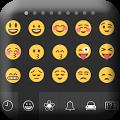
Emoji eyboard Get stylish emoji keyboard that supports smiley and emoticons at everywhere like Facebook, Twitter, whatsapp, Instagram. You can send beautiful smiley to friends, family, and groups through social media and messaging. Advanced Features:
Switch between the normal keyboard and Emoji keyboard.
Best collection of emoji, emoticons, and smileys support everywhere.
Help you write better and funnier text messages and emoji .
Full, Thumb and Compact layouts.
Easily Input various kind of smiley and emoticons.
Share smiley on text with your friends and groups.
Swipe (Left/Right) to view more Emoticons .
Swipe (Left/Right) for Number and Alphabet eyboard.
Support the English normal keyboard and symbol keyboard.
Quickly used and share emoji through social sites.
Cover emoticons and smiley with particular categories. HOW TO ENABLE ANDROID EMOJI EYBOARD? Enable the Emoji Smart Android eyboard,
First go to HOME -> Setting -> Language - eyboard, and then check the Emoji Smart Android eyboard to ENABLE it.
To use eyboard, you need to change the input method.
Change the input method by holding the Text Box, and select the "Input Method", then choose Emoji Smart Android eyboard
A tool that allows you to add features to your smartphone keyboard. In this way you can go from your typical smartphone keyboard to a much more sophisticated keyboard that will help facilitate your daily communication with all your contacts. As soon as you open emoji keyboard you'll notice that it automatically gives you the option to replace your standard android keyboard with this one. In seconds you'll have all the extra features you can think of thanks to this easy to use keyboard tool. You'll also gain an easy access shortcut to hundreds of special emojis without needing to add any other app to your system. And you'll also get a bunch of new stickers as well as gifs and a ton of new themes for your smartphone. This app for the keyboard has something for everyone. If you use emoji keyboard you will have an even better keyboard to add to your smartphone. Enjoy all the special features it adds and make the most of its fully customized interface that is completely adapted to your needs.
Is a plugin for the go keyboard that allows you to use more than 800 different emoji directly from your android keyboard. Important to remember that emoji keyboard will not work unless you already have go keyboard installed. So the first step is to install go keyboard and then, and only then, emoji keyboard. So long as you have the emoji keyboard installed and configured you can start using its more than 800 emoji in any text field. In addition to the normal icons you039ll also find hundreds of smileys that can be pasted into a text field simply by clicking on them.
emoji keyboard is a unique custom keyboard and while it doesn't have interesting options or keyboard shortcuts, it does let you paste hundreds of emoji into conversations at lightning speed. In other words, as an additional keyboard, it could be very useful.
Verdict
Emoji Keyboard is an Android application available under the Freeware license — the APK is 4.68 MB. We’ve catalogued it under Network.
At a glance
Help fellow users decide. Share your experience with Emoji Keyboard.