In depth
A closer look at Calculator
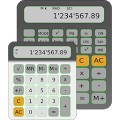
Two calculators in one. Scientific / Algebraic / Fraction or simple desk calculator. Ideal for everyday, office, school, technical and scientific studies. Choose what you prefer for each moment STANDARD CALCULATOR Simple calculator with the same functionality as a classical desk calculator- Square root- Memory- k feature- Percent Calculation: add, subtract, mark-up/mark-down, % of increase, % against. SCIENTIFIC / ALGEBRAIC / FRACTION CALCULATOR- Square/cube/xth root -Memory- k feature- Parenthesis- Exponents- Pi- Percent Calculations: add, subtract, % against, % of increase,- Log, In, Inverse Log, Exponential Fractions:- Fraction<>Decimal, Decimal<>Fraction- Improper Fraction<>Mixed Number- Simplification Trigonometry:- Sin, Cos, Tan, - Inverse- Hyperbolic Functions- Converts between DEG, RAD, GRAD Statistics:- Mean, Sum, Sum of squares, # Elements- Standard Deviation (sample or population) Additional Math Functions- DMS<>DD Conversions- Polar<>Rectangular Conversions- nPr, cPr, x!- Random Number Generator- Scientific Notation NOTE: Read the help for additional information COMMON
- Back key- Portrait or landscape layout- Copy to clipboard feature- Dark or clear background available- Icon widget- MultiWindow for Samsung devices (where available)
Verdict
Should you install Calculator?
Calculator is an Android application available under the
Freeware
license — the APK is 1.7M.
We’ve catalogued it under
Business.
✓
Verified clean. Every Calculator APK on SoftLookup is scanned for malware, spyware, and adware. We re-test on every update.
Sponsored
At a glance
Calculator specifications
- Publisher
- Developer
- Last updated
- May 5, 2026
- License
- Freeware
- Operating system
- Android
- File size
- 1.7M
- Price
- Free
- Page views
- 1290
Sponsored
Help fellow users decide. Share your experience with Calculator.