In depth
A closer look at Nanairo Theme GO Launcher EX
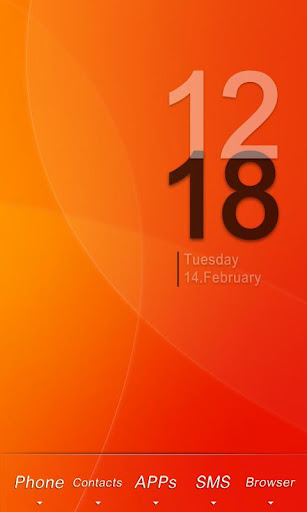
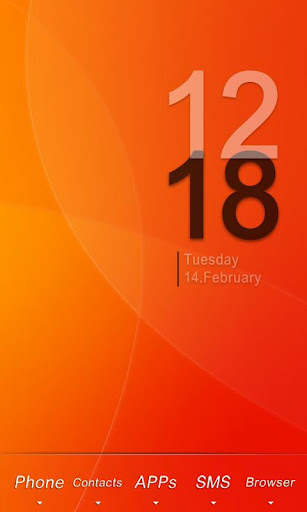
Follow the steps to achieve the effect in the preview screenshots.
1. Make sure you have installed GO Launcher EX.
2. Download and install Nanairo Theme GO Launcher EX.
3. Click Menu- Themes, choose and apply Nanairo Theme.
4. You main screen interface will look like the third preview screenshot with 5 icons on the dock bar. Drag and place your Phone and SMS icon into the middle. Then long press Phone icon- Replace- Theme Icon, and choose the corresponding icon as shown in the red box of the third preview screenshot.
5. Apply Transparent Icon into the apps at the both side of the dock bar. Long press the left app icon- Replace- Theme Icon, then choose the transparent icon as shown in the blue box of the third preview screenshot.
6. Done!
(clock widget:BobClockD3)
Unique Features:
1. Visualize the special effects of the three app icons in dormancy model. You will find no other theme in this style currently.
2.There are 7 species of different color wallpapers.
Verdict
Should you install Nanairo Theme GO Launcher EX?
Nanairo Theme GO Launcher EX is an Android application available under the
Freeware
license.
We’ve catalogued it under
Collection.
✓
Verified clean. Every Nanairo Theme GO Launcher EX APK on SoftLookup is scanned for malware, spyware, and adware. We re-test on every update.
Sponsored
At a glance
Nanairo Theme GO Launcher EX specifications
- Publisher
- Developer
- Last updated
- May 5, 2026
- License
- Freeware
- Operating system
- Android
- Price
- Free
- Page views
- 1071
Sponsored
Help fellow users decide. Share your experience with Nanairo Theme GO Launcher EX.