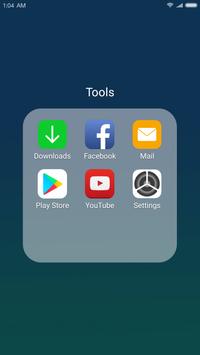
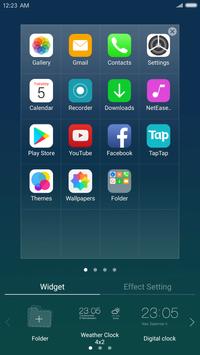
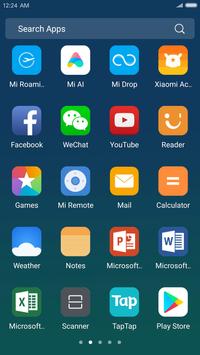
See X Launcher: With OS11 Style Theme and Control Center in action
In depth
A closer look at X Launcher: With OS11 Style Theme and Control Center
X Launcher (also called iLauncher) is a stylish, fast and small launcher (only 4MB) for your Android Phone. It uses the latest OS 11 design; Easy to use, and more beautiful, give you a unprecedented experience.
X Launcher is under developing in 2017 for the new coming Phone X. It is the best launcher for Android users who want experience OS 11 on Android. With X Launcher, you will be able to customize your android phone to make it looks like OS 11.
MAIN FEATURES:
Fast Control Center Swipe up to enter Control Center; Set WiFi, Network, Brightness, Volume, Take Photo quickly.
Various Themes Adaptive to the themes you select, which can bring you smooth interface like OS 11. You can personalize your phone as the business style or customize your phone with the element of natural landscape.
Various Wallpaper and Icon Sets We design a Wallpaper Center to provide various wallpapers, support rich icons for Phone X and give you a comprehensive experience. We also provide icon pack for popular apps to ios rounded style.
Powerful App Manager Swipe down to open App Manager; Find local apps and drop them to desktop quickly.
Rounded Corners Folder We design a OS Style Folder, you can drop an app to another to create a folder.
Weather and Time widget We provide inner Weather and Time widget, you can long press on screen and drag it to screen. You will get the weather forecast in recent days.
Left Screen We provide left screen on the left of the desktop, some ios style widgets on it, provide a convient way to see time and weather, search apps, etc.
Screen Animation Effects We design 8 screen animation effects, like Breeze, Tunnel, Waves,Cube, Carousel, Tune out, Fan, Rotation.
Hide Apps Double-finger zoom to enable hide apps feature to Protect your privacy all around.
Icon Customizable The icon and name of the app can be modified, You can choose a local image and then crop it, use it as an app icon.
App Unread Notification In the latest version, we have added a new feature to notifer unread messages, turn on the App Notifer in launcher settings and grand permission, you can make your Facebook, Twitter and other Apps you selected to show unread tips, do not worry about missing important informations!
Download X Launcher now and join us! More interesting features will coming soon! Like hide apps, 3D animations, dynamic clock, calendar and more.
Requirements
Device requirements
Android 4.1+
Verdict
Should you install X Launcher: With OS11 Style Theme and Control Center?
X Launcher: With OS11 Style Theme and Control Center is an Android application available under the
Freeware
license — the APK is 4.2 MB.
We’ve catalogued it under
Graphics.
✓
Verified clean. Every X Launcher: With OS11 Style Theme and Control Center APK on SoftLookup is scanned for malware, spyware, and adware. We re-test on every update.
Sponsored
At a glance
X Launcher: With OS11 Style Theme and Control Center specifications