In depth
A closer look at Paintastic : draw color paint
Paintastic is free android paint app with best painting tools to create colorful drawings, beautiful paintings, designs, logos, & greeting cards. You can start from scratch or beautify existing pictures and photos.
You dont have to be a graphic designer or artist to paint & create art masterpieces. Use paintbrush, add textures, shapes, much more. Just express yourself and unleash your creativity unlimited !
Paintastic is a powerful and quick draw tool suitable for all ages(paint for kids as well as adults)
TOP FEATURES OF PAINTASTIC DRAW, COLOR, PAINT:
- VARIOUS PAINTBRUSH
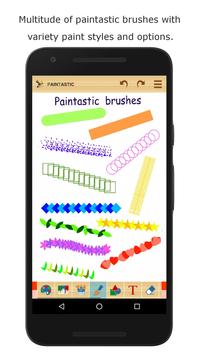
Variety of paintbrushes in various shapes and styles(blur, emboss, neon, outline). Also control the size, opacity, scatter, jitter of your paintbrush.
- PREDEFINED SHAPES
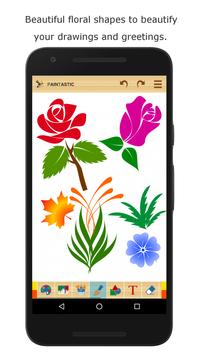
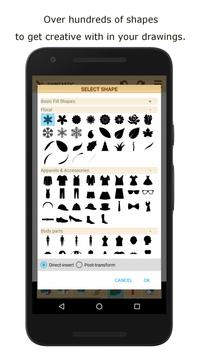
Hundreds of shapes, ready to use: basic geometrical, floral, celestial, apparels , body parts, stick figures, smileys, frames and borders, buildings & transport, ribbons & badges, and much more.
- MULTICOLOR AND GRADIENT OPTIONS
To create colorful drawings, be in control of the colors. Use our well-designed color picker and unique multicolor feature for paintbrush and drawing background.
- ADD PICTURES AND PHOTOS
Create collages, Valentine Card, Birthday Card, and other personalized cards from memorable pictures and photos.
- ADD TEXT
Write caption and quotes in your drawing/painting. Change font style, size, colors and even write curved text.
- TEXTURES, IMAGE EFFECTS AND FILTERS
Various image filters, patterns, textures, and effects for applying to your drawing.
- SELECTION TOOL
You can copy, paste, move, crop, resize, rotate, flip horizontal/vertical all or selected area of your sketch and beautiful paintings easily with our Selection Tool.
- SHARE YOUR COLORFUL DRAWINGS OR GREETING CARD
You can share your Valentine card or Birthday card directly from our app. Share to email address, Facebook, Twitter, Whatsapp, and other social networks of your choice.
- OTHER FANTASTIC PAINTING TOOLS
There are many other painting tools to discover in our drawing app(Paint bucket, scratch mode, finger pinch to zoom tool, color picker). Just download and try them all!
Download Paintastic now! Let the creativity flow and paint your imagination :)
If you like painting on Paintastic, please do rate and review on google playstore.
Requirements
Device requirements
Android 4.0.3+
Verdict
Should you install Paintastic : draw color paint?
Paintastic : draw color paint is an Android application available under the
Freeware
license — the APK is 6.3 MB.
We’ve catalogued it under
Graphics.
✓
Verified clean. Every Paintastic : draw color paint APK on SoftLookup is scanned for malware, spyware, and adware. We re-test on every update.
Sponsored
At a glance
Paintastic : draw color paint specifications
- Publisher
- Creativity Unlimited
- Last updated
- Feb 13, 2026
- Requirements
- Android 4.0.3+
- License
- Freeware
- Operating system
- Android
- File size
- 6.3 MB
- Price
- Free
- Page views
- 891
Sponsored
Help fellow users decide. Share your experience with Paintastic : draw color paint.