In depth
A closer look at Slidebox - Photo Organizer
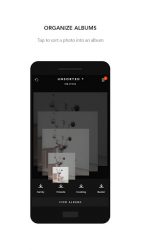
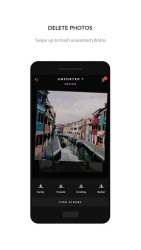
Organize your gallery photos with quick gestures! Scroll through your photos in fullscreen and swipe up to delete unwanted photos or pick an album to sort into. Compare similar/duplicate photos and quickly and delete them with a swipe. Its that easy. DELETE UNWANTED PHOTOSSwipe up to put an unwanted photo into trash. Deleting trashed photos help you get rid of unwanted or duplicate photos from your device to free up space. SORT PHOTOS INTO ALBUMSPick an album at the bottom to sort a photo into. Add an existing album from your gallery or create a new one to keep your photos organized. COMPARE SIMILAR PHOTOSScroll between similar photos and compare them in fullscreen. Delete similar or duplicate photos quickly with a swipe or sort the best ones into albums. ORGANIZED ANDROID GALLERYPhotos and albums are organized directly in your Android Gallery, so other apps can take advantage of the organization. PERFECT WITH OTHER APPSAll photos and albums are organized directly in Android Gallery, so they work great with any of your existing apps and services. - Slidebox does not keep copies of your albums/photos. Deleting photos from your Android Gallery will make it inaccessible from Slidebox.
- SD Card Support Coming Soon!- Slidebox Account is limited to few users.
Verdict
Should you install Slidebox - Photo Organizer?
Slidebox - Photo Organizer is an Android application available under the
Freeware
license — the APK is 2.77 MB.
We’ve catalogued it under
Photography.
✓
Verified clean. Every Slidebox - Photo Organizer APK on SoftLookup is scanned for malware, spyware, and adware. We re-test on every update.
Sponsored
At a glance
Slidebox - Photo Organizer specifications
- Publisher
- Slidebox LLC
- Last updated
- May 5, 2026
- License
- Freeware
- Operating system
- Android
- File size
- 2.77 MB
- Price
- Free
- Page views
- 1115
Sponsored
Help fellow users decide. Share your experience with Slidebox - Photo Organizer.