In depth
A closer look at SureLock Kiosk Lockdown
Important:
Note 1: For Business use only.
Note 2: Free Trial version limitations: Maximum two apps can be allowed, Password and Wallpaper can not be changed.
SueLock uses Android Device Administrator permission for advanced lockdown features.
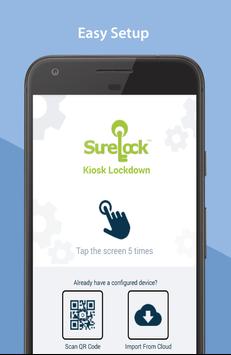
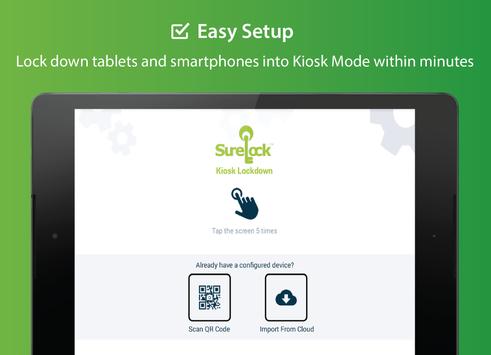
SureLock is the #1 kiosk lockdown tool for Android that quickly transforms any Android tablet or smartphone into a dedicated Android kiosk. It replaces the default Home Screen or Launcher and restricts access to only allowed applications.
Description
Worried about unwanted misuse of your company owned Android devices? It has become common to use off-the-shelf mobile devices to run business applications or self-service kiosks. However, device misuse can impact user productivity and can cause increase in data usage and maintenance cost.
Use SureLock to lockdown android tablets and smartphones and convert them into dedicated Android kiosk with restricted access to only selected applications and device features. Games such as Angry Birds, social media applications such as Facebook and Twitter, system settings, or any other unwanted applications are completely hidden from the user.
ey Features
- Restrict access to one or more applications
- Display widgets on home screen
- Application shortcuts
- Block user from altering system settings
- Password protect applications
- Auto launch applications at startup
- Control Peripherals (WiFi, Bluetooth, Camera, Screen Orientation, Airplane mode, Audio, GPS)
- Limit phone calls to only selected phone numbers
- Customize home screen (Layout, Application captions, Wallpaper)
- Remote management with SureMDM.
- Single application mode
- Group applications
- Hide icons of allowed applications
- Application idle timeout
- Screen saver mode
- Disable status bar and notification panel
- Disable power button
- Delayed application launch
- Selectively allow or block individual child windows
- Multiple admin access
- Driver Safety Mode
- Collect application usage data (launch time, duration of usage, etc.)
- Power saving settings (brightness control based on charging status and user inactivity)
- Memory management (close applications if memory usage threshold is reached)
- Easily integrates SureFox (Special lockdown browser to restrict browsing to certain websites only)
Who uses SureLock?
- Android Tablets and Smartphones for field force management
- Trucking companies (ELD Mandate), Electronic Logbook Application Lockdown
- Libraries and schools
- Taxi Dispatch Systems
- Customer engagement android kiosk at retail stores
- Inventory Control and Asset Tracking
- Passenger Infotainment at airports
- Restaurants for customer feedback and engagement
- Patient surveys at hospitals
- Electronic Proof of Delivery applications used by logistics companies
Device Support
SureLock runs on almost all kinds and models of Android devices. Here are some pre-validated devices:
- Samsung
- Asus
- LG
- Nexus 7
- Lenovo
- Panasonic
- indle Fire (1st generation)
- Motorola Xoom
- Motorola ET1 (Awarded Motorola Solutions Validated)
- Datalogic
- HTC Wildfire
- Viewsonic
- Goclever
- Zenithink C91
- Dell Streak 7
- Alcatel
- Huawei
and more...
Want to remotely configure SureLock?
You can use SureMDM to remotely configure and manage SureLock
Requirements
Device requirements
Android 4.0+
Verdict
Should you install SureLock Kiosk Lockdown?
SureLock Kiosk Lockdown is an Android application available under the
Freeware
license — the APK is 14.1 MB.
We’ve catalogued it under
Business.
✓
Verified clean. Every SureLock Kiosk Lockdown APK on SoftLookup is scanned for malware, spyware, and adware. We re-test on every update.
Sponsored
At a glance
SureLock Kiosk Lockdown specifications
- Publisher
- 42Gears Mobility Systems
- Last updated
- Jan 29, 2026
- Requirements
- Android 4.0+
- License
- Freeware
- Operating system
- Android
- File size
- 14.1 MB
- Price
- Free
- Page views
- 1016
Sponsored
Help fellow users decide. Share your experience with SureLock Kiosk Lockdown.